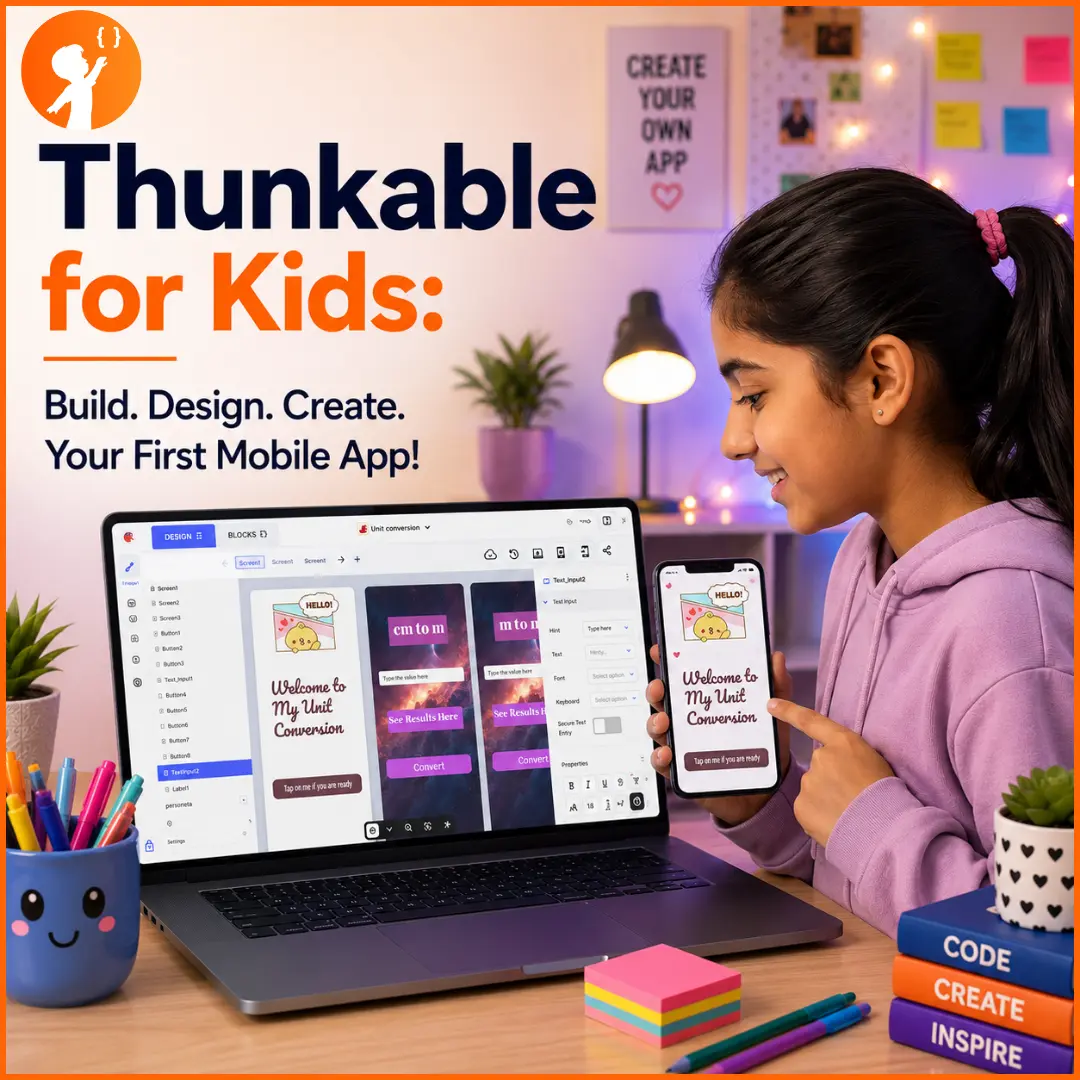
Imagine your child building a real mobile app — one that works on both iPhone and Android — without writing a single line of code. That’s exactly what Thunkable makes possible. It’s one of the most popular no-code app builders in the world, and it’s beginner-friendly enough for kids to create genuine, working apps in an afternoon.
In this guide, we’ll cover what Thunkable is, what kids can build, a simple step-by-step tutorial, pricing, AI features, and how it compares to MIT App Inventor. It’s a perfect next step after our app development for kids guide.
What Is Thunkable?
Thunkable is a no-code mobile app builder that lets anyone — including kids — create native apps for iPhone, Android, and the web using drag-and-drop blocks instead of typed code. You design how your app looks by dragging on components like buttons and images, then add behaviour using visual logic blocks.
Because it’s a cloud-based builder that runs right in your web browser, there’s nothing to install to get started, making it one of the easiest ways for kids to turn an app idea into reality.
Why Kids Love Thunkable
Thunkable hits a sweet spot for young creators: it’s powerful enough to build real apps, but simple enough that kids don’t get stuck. Here’s why children (and their teachers) love it:
| Feature | Why Kids Love It |
|---|---|
| No coding needed | Drag-and-drop blocks mean no confusing typing |
| Works on iPhone AND Android | Their app runs on almost any phone |
| Instant live preview | See the app work in the browser as they build |
| Free to start | Kids can learn and build without paying |
| Real, native apps | Not toys — genuine apps with real features |
| Creative freedom | Design the look, logic, and features themselves |
Because kids see their app come to life instantly, they stay motivated and proud of what they make. It’s also a brilliant way to turn passive screen time into creative time — much like the ideas in our alternatives to YouTube for kids guide.
What Kids Can Build with Thunkable
Even as beginners, kids can build genuinely impressive apps, including:
- Quiz and trivia apps
- Games like tap-the-target or a simple memory game
- Calculators and converters
- To-do lists and habit trackers
- Drawing and photo apps that use the camera
- Story or recipe apps
- Location apps that use maps and GPS
- Even AI-powered apps (more on that below!)
The mix of design and logic means every child can build something that matches their interests — and end up with a real app they’re proud to show off. For more inspiration, see our best AI projects for kids.
How to Use Thunkable for App Development
Getting started is quick and needs no downloads. Here’s how a child can build and preview their first app.
- Open Thunkable and sign in. Go to thunkable.com and sign up or log in — a free account is all you need to begin. This is one of the best free ways to start creating an app.
- Create your project. Click to create a new project, give it a name, and choose a starting option or category. Then you’re in the builder, ready to design.
💡 Good to know: Thunkable’s free plan lets you keep 3 projects at a time. If you hit that limit, just delete an old project you no longer need, then create your new one. (Plans change — see thunkable.com/pricing for the latest.)
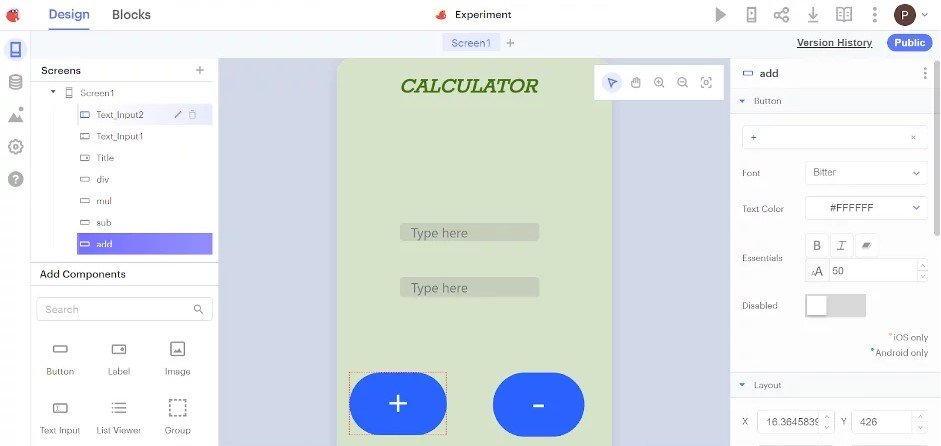
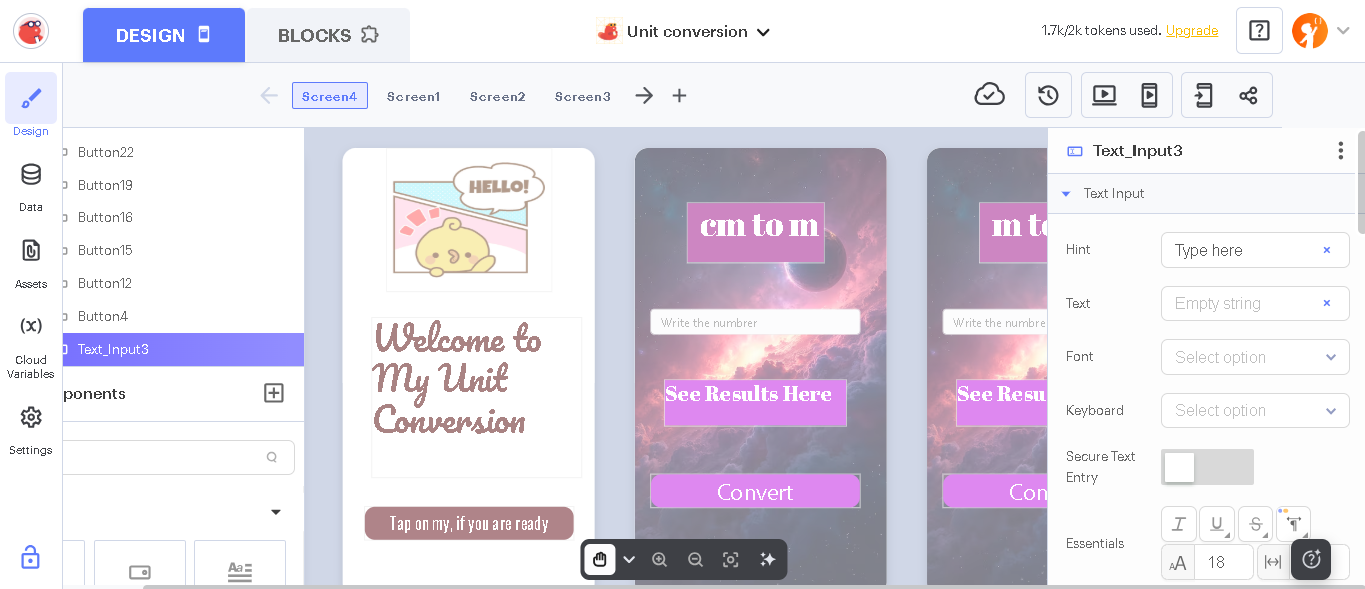
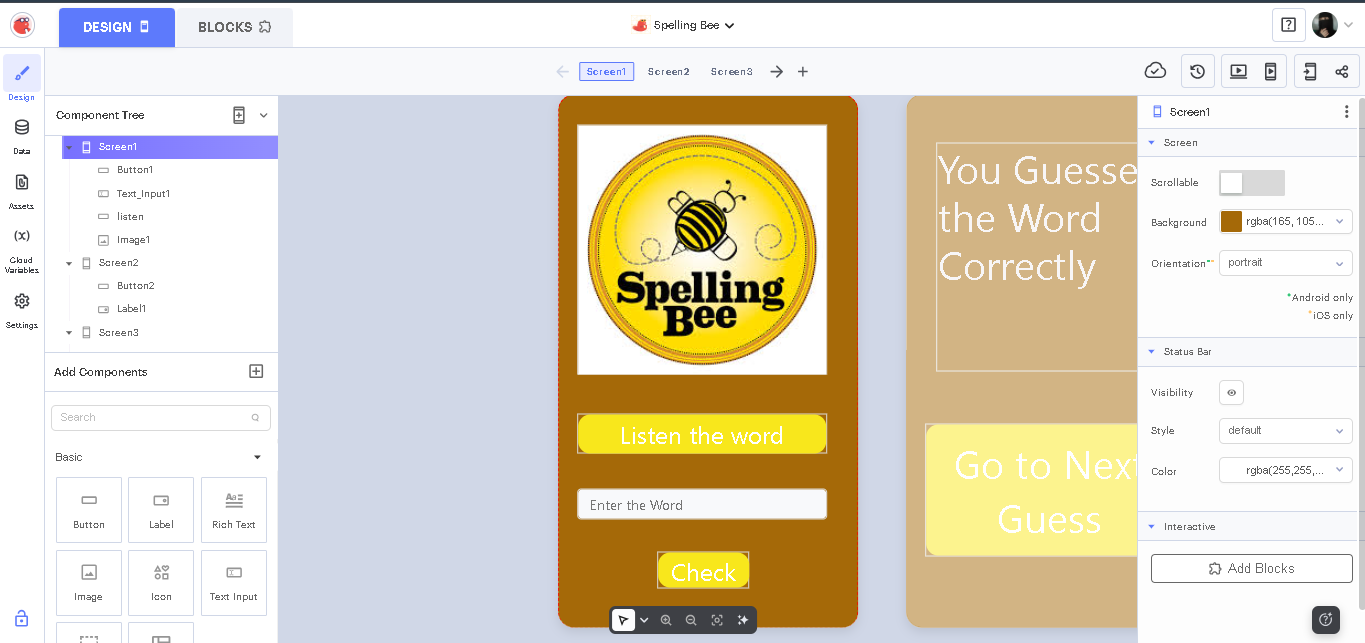
- Design your app. The Thunkable builder has three main areas:
- Component tree (top-left): shows the structure of your app — all the screens and pieces you’ve added.
- Components panel (bottom-left): all the pieces you can drag on — buttons, labels, images, text boxes, and more.
- Properties panel (right): where you change how each piece looks — its colour, font size, text, and background.
- Preview your app live. When you’re ready to see it in action, click the little laptop/preview icon in the top-right. Your app runs live right there in your browser — you can tap buttons and use it as if it were on a real phone.
Thunkable vs MIT App Inventor
Thunkable and MIT App Inventor are the two most popular block-based app builders for kids. Both are beginner-friendly and use drag-and-drop blocks, but there are a few real differences worth knowing:
| Thunkable | MIT App Inventor | |
|---|---|---|
| Builds apps for | iPhone, Android and web | Android (iOS is limited/beta) |
| Preview & testing | Instant live preview in your browser | Live testing via the AI2 Companion app on Android |
| Cost | Free plan + paid plans | Completely free |
| AI features | Yes — can generate apps from a description | Basic AI / image extensions |
| Best for | Kids who want iPhone + Android apps | Kids focused on Android, and classrooms |
Can Kids Build AI Apps Using Thunkable?
Yes! This is one of the most exciting parts. Thunkable includes built-in AI features — kids can even describe an app idea in plain words and have Thunkable generate a starting project for them. Beyond that, they can add smart features to their apps, like:
- Image recognition — an app that identifies objects in a photo
- Text-to-speech and speech-to-text — apps that talk or listen
- Chatbot-style features — apps that respond to the user
- Translation — apps that convert text between languages
This makes Thunkable a wonderful bridge between app development and artificial intelligence — and a great foundation for AI and app competitions like the Congressional App Challenge.
How Junior Coderz Uses Thunkable
At Junior Coderz, Thunkable is one of the core tools we use to teach kids real app development — guided every step by ourexpert engineer trainers in live classes. Rather than watching tutorials alone, students build actual apps, get instant feedback, and progress through an age-based curriculum:
- Junior Inventors (Ages 8–10) — younger kids create their first simple, functional apps and learn the basics of design and logic.
- Code Champions (Ages 11–14) — older students build more advanced apps, dive into deeper logic, and even add AI features.
You can see everything covered in our app development for kids program, taught by our expert trainers. We also encourage students to put their skills to the test in real app competitions — a fantastic confidence boost and a great addition to any young developer’s story.
Projects Our Students Have Built with Thunkable
The best proof is what our students actually create. Here are real apps built by Junior Coderz kids using Thunkable — from their first quiz app to more advanced, AI-powered ones. Tap any image to see it up close.
Start Building Your Child’s First App Today
Thunkable proves that kids don’t need to be coding experts to build something real — they just need the right tool and a little guidance. With a free plan, cross-platform apps, and friendly drag-and-drop blocks, your child could go from “I have an app idea” to holding a working app, often in a single session.
The best way to start is to see it in action. Book a free trial class with Junior Coderz and watch your child build their first app — or explore all our courses and the full range of skills we teach to find the perfect starting point.
Conclusion
Thunkable is one of the friendliest and most exciting ways for kids to step into app development. It’s free to start, works on both iPhone and Android, and its no-code, drag-and-drop approach means children can create real apps from day one — no coding experience required. From a simple quiz app to AI-powered projects, Thunkable grows right alongside your child’s skills and imagination.
Frequently Asked Questions
Thunkable has a free plan that’s perfect for kids to learn and build — it lets you create up to 3 projects. Paid plans (starting at a monthly fee) add more projects, private apps, and the ability to publish to app stores, but you don’t need them to start learning. See thunkable.com/pricing for current details.
Yes. Thunkable includes AI features — you can even describe an app idea in plain language and have it generate a working project. Kids can also add AI features like image recognition and text-to-speech to their apps.
No. Thunkable is a no-code app builder — kids build apps using drag-and-drop components and visual logic blocks instead of typing code. It’s designed for complete beginners.
Yes. One of Thunkable’s biggest advantages is that it’s cross-platform — a single project can run on iPhone, Android, and the web, so kids’ apps work on almost any device.
Absolutely. Its visual, no-code approach, instant preview, and free plan make it one of the most beginner-friendly app builders — ideal for kids and first-time creators.