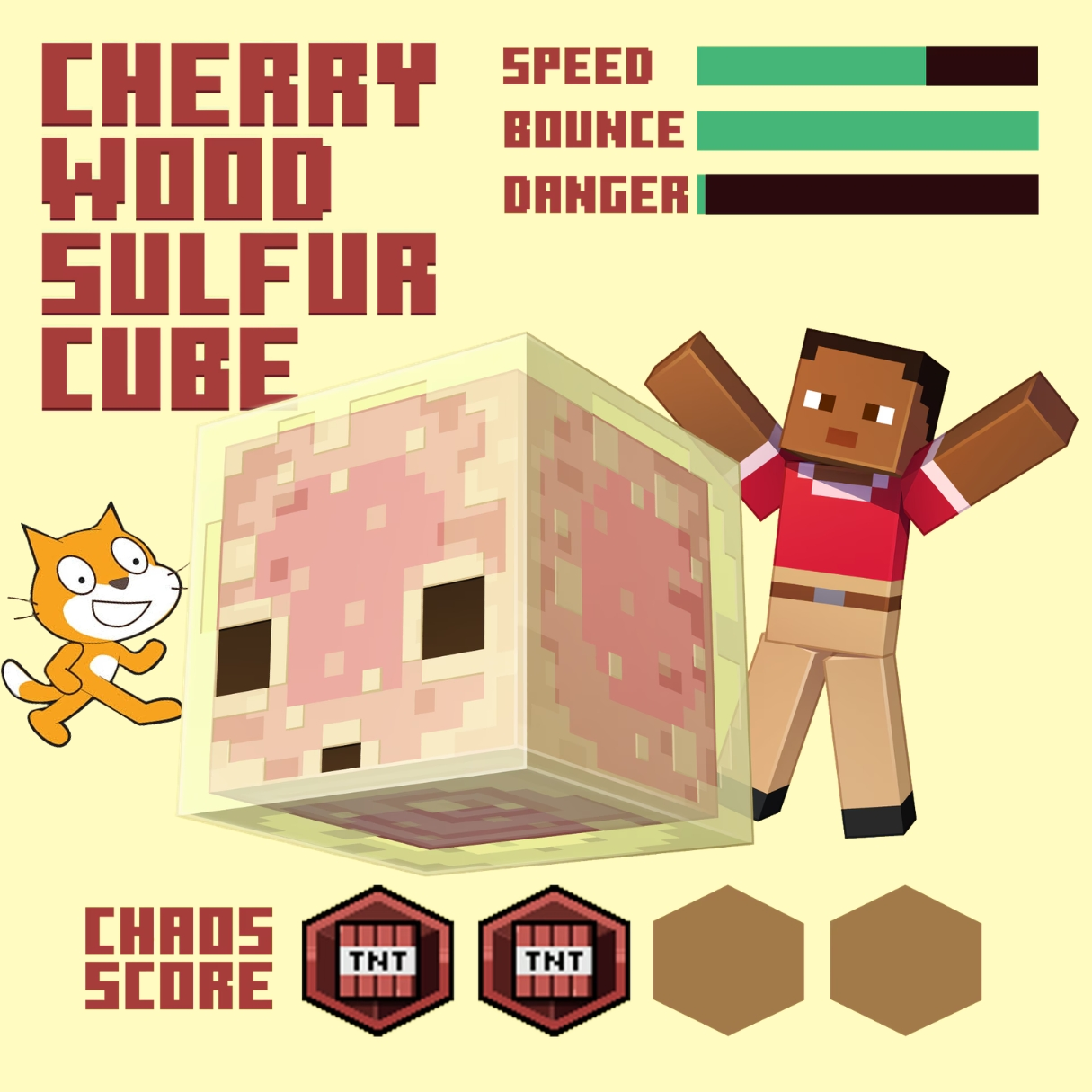

Something is rumbling deep in the sulfur cave, and it sounds like trouble with a very short fuse. That is exactly the mood behind Minecraft Chaos Cubed, the wild explosive adventure we are turning into a real Scratch project today. You will code a shaky cave floor, ticking blocks that count down before they burst, and a chaos meter that climbs higher the longer you survive the mayhem. It is one of those fun coding projects that mixes pure chaos with real programming logic, and it feels incredibly satisfying to watch your own explosive cave come alive.
Scratch programming makes this explosive build beginner friendly. The colorful drag and drop blocks let young coders see their logic clearly, so coding for kids stays exciting instead of scary. By the end, you will understand timers, variables, and random events, and you will have a real chaos survival game to share with friends. Grab your pickaxe and let us head into the cave.
Why Minecraft Chaos Cubed Makes a Great Coding Project
Kids love a good countdown, and pairing that tension with blocky, chaotic explosions makes for one of the most exciting project ideas around. This kind of blocky explosive chaos captures that feeling perfectly, mixing careful timing with total unpredictability in a way that keeps players glued to the screen. Nobody knows exactly when the next block will pop, which is precisely what makes every single playthrough feel fresh and unpredictable.
This project is also packed with real computer science. Ticking blocks need timers. Chaos levels need variables that climb over time. Randomness needs pick random blocks scattered throughout the code. You learn all of it while building something genuinely thrilling to play. That is why Minecraft Chaos Cubed ranks among the best beginner coding games for kids who love a bit of blocky mayhem. If your child enjoyed our Piggy escape game or our Pokemon-style battler build, this explosive cave project is a thrilling next step.
The Story: The Rumbling of Sulfur Hollow
Deep beneath the surface, a strange yellow tinted cave known as Sulfur Hollow has started acting up. Blocks that used to sit perfectly still now hum and shake, counting down toward something nobody wants to be standing near when it happens. The local miners say the whole cave has gone a little chaotic lately, and honestly, they might be right.
Your character grabs a pickaxe and heads down anyway, because someone has to figure out what triggered all this cubed chaos in the first place. Every step deeper means dodging ticking blocks and watching the chaos meter climb. The deeper the tunnels go, the stranger the rumbling sounds become, and the more it feels like the whole cave has a mind of its own. Ready to survive the rumble? Let us start building.
Minecraft Chaos Cubed: Set Up Your Cave and Miner
Every great chaos survival level needs a cave backdrop and a miner sprite the player can move around freely. We will use simple arrow key movement so players can dash between safe spots as chaos builds around them.
| Sprite | Job in the Game |
|---|---|
| Miner | Moves around the cave dodging chaos blocks |
| Chaos Block | Ticks down before bursting |
| Chaos Meter | Climbs as more blocks go off nearby |
Here is a simple movement script, written the same way it would look stacked together in Scratch.
With quick, responsive movement in place, your miner is ready to weave through the cave the moment things start ticking.
Minecraft Chaos Cubed: Code the Ticking Chaos Blocks
The heart of this whole game is the ticking block itself, counting down before bursting into a puff of chaos. We use a variable that drops every second, then trigger a burst effect once it hits zero.
That countdown and costume change gives every chaos block real personality, warning sharp eyed players just long enough to scramble to safety.
Minecraft Chaos Cubed: Build the Chaos Meter
Every burst should push the world a little closer to total mayhem. We track this with a rising chaos meter, and once it reaches a high enough number, the whole cave shakes even harder.
| Chaos Level | Cave Behavior |
|---|---|
| 0 to 30 | Calm, occasional distant rumble |
| 31 to 70 | Frequent ticking blocks appear |
| 71 to 100 | Full blown cubed chaos mode |
Watching that meter creep upward is exactly what makes Minecraft Chaos Cubed so tense to play, since every burst brings the whole cave one step closer to complete bedlam.
Minecraft Chaos Cubed: Coding Skills Kids Learn
This single project quietly teaches a huge amount. Here is what your young coder practices while having a blast:
| Skill | Where It Shows Up |
|---|---|
| Variables | Tracking tick timers and chaos levels |
| Loops | Counting down each chaos block |
| Random numbers | Making each countdown feel different |
| Broadcasts | Connecting bursts to the chaos meter |
| Conditions | Triggering full chaos mode |
These are the same building blocks used in real games and apps, from timers that run background tasks to variables that track a player’s progress. Master them young, and harder languages feel far friendlier later. When a learner is ready for text based code, our Algorithm Avengers program for teens is the perfect next leap.
Fun Ways to Level Up Your Cave
Once the basics work, let creativity take over. Encourage your child to remix the game and make it truly their own:
Add a shield power up that blocks one burst safely. Create bonus points for surviving near a countdown block. Add a rumbling screen shake effect at high chaos levels. Design new cave rooms with different block layouts. Build a survival timer that tracks the longest run. Every tweak sharpens their Scratch programming skills and keeps the chaos exciting. For more remix ideas, kids love our Sprunki music mixer and the Adopt Me pet trading builds.
Start Your Coding Adventure
Ready to Code Games Like a Pro?
Now that you can build your own blocky chaos survival game in Scratch, why stop at one project? At Junior Coderz, kids build games, apps, and even AI tools with friendly live teachers guiding every step. We turn screen time into skill time, one exciting project at a time.
Book a coding class, join a live Scratch workshop, or dive into our hands-on Scratch coding for kids program. Curious about smart tech too? Explore our AI Hybrid Course where coding meets artificial intelligence.
See what our young coders create every day on Instagram and Facebook. Then grab a free spot below and let your child build their very first masterpiece.
Book Your Free Trial ClassConclusion
You just turned a rumbling, explosive cave idea into your very own Scratch creation. From quick miner movement to ticking chaos blocks and a rising chaos meter, every part taught a real coding skill. Building your own version of Minecraft Chaos Cubed proves that the smartest way to understand programming is to make something genuinely thrilling to play.
So keep surviving and keep dreaming. Remix your cave, share it with friends, and design your next chaotic room. Coding for kids is not about getting everything perfect on the first try. It is about curiosity, creativity, and the joy of watching your ideas come to life. Whenever you feel stuck, our friendly team at Junior Coderz is ready to guide you. Connect with us on LinkedIn and start your coding journey today.
FAQs
Do I need to own Minecraft to build this?
No, you do not need Minecraft at all. This is your own original chaos survival game built in Scratch using simple sprites and blocks. It only borrows the fun blocky cave idea, so any child can build it free in a web browser without buying anything.
What age group can build Minecraft Chaos Cubed?
Most kids aged eight and up can follow along with a little support. Younger coders may need help with variables, while older kids can build it solo. It works wonderfully as one of the more exciting beginner coding games for families.
Is Scratch good for learning real coding?
Absolutely. Scratch teaches the same core ideas used in real programming, like variables, loops, and conditions. The drag and drop blocks remove typing errors so kids focus on logic. It is the perfect first step before moving to text based languages.
How long does this project take to finish?
A focused young coder can build a basic working version in two or three sessions. Adding power ups, sounds, and extra rooms takes a little longer. Breaking it into one feature at a time keeps the project fun and easy to manage.
What should my child learn after this game?
Once this feels easy, try bigger Scratch builds or step into text based coding like Python. Junior Coderz offers live classes that guide kids from blocks to real code, so every learner keeps growing at a pace that feels exciting, not stressful.