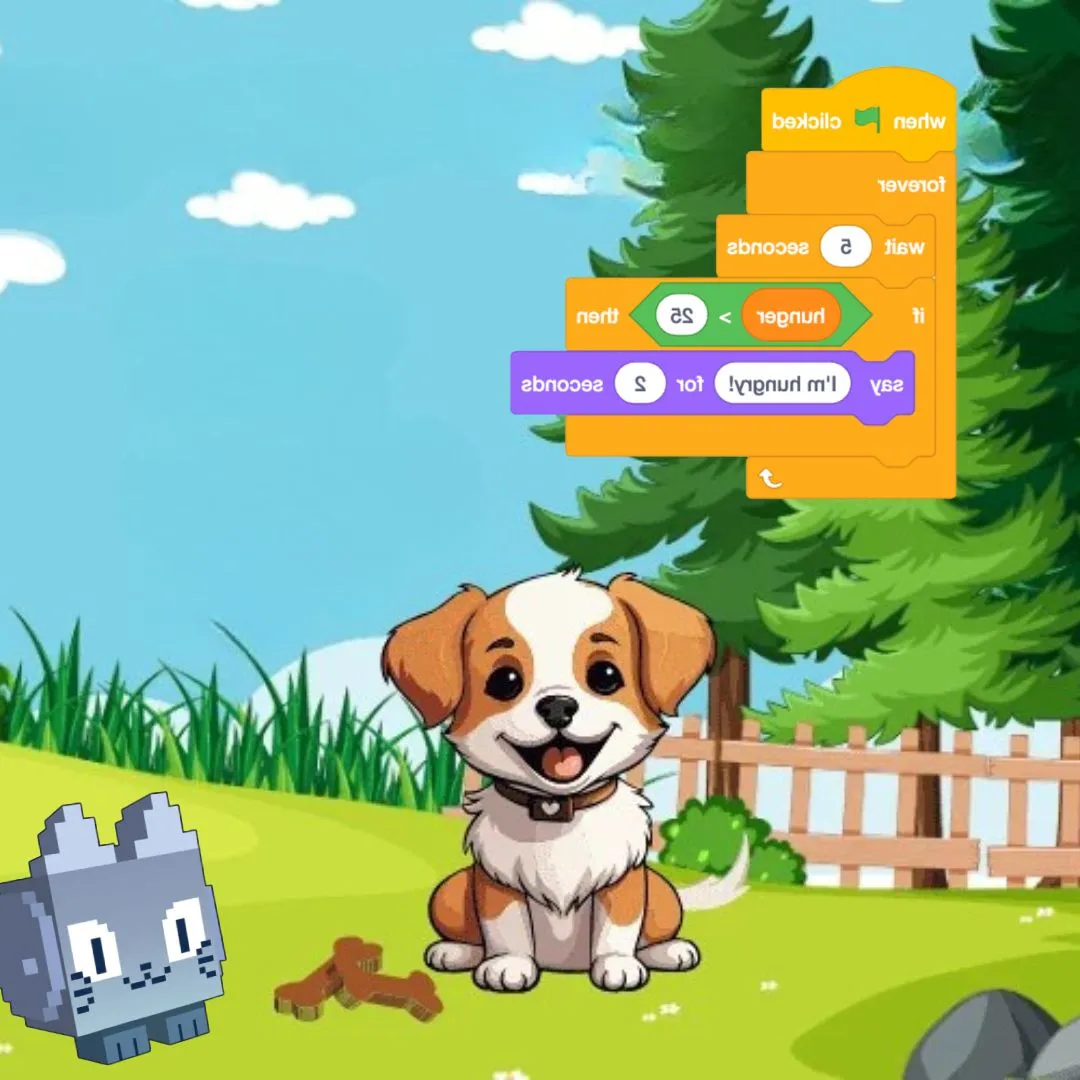

Do you love hatching mystery eggs, collecting adorable creatures, and hoping for a super rare one to pop out? Then you are going to love this project, because today we are going to build your very own Pet in Scratch simulator. You will code an egg hatching system, build a rarity system that decides how special each pet is, and create a collection book that keeps track of every creature you find. Making your own creature collector is one of those fun coding projects that mixes cute characters with real programming logic, and it feels wonderful to build something you can play with every day.
Scratch programming makes this exciting build beginner friendly. The colorful drag and drop blocks let young coders see their logic clearly, so coding for kids stays exciting instead of scary. By the end, you will understand random numbers, lists, and variables, and you will have a real pet collecting game to share with friends. Grab your egg basket and let us start hatching.
Why Building a Pet in Scratch Is a Great Project
Kids already love collecting things, whether it is stickers, cards, or cute virtual creatures. That love of collecting gives young coders instant motivation to keep building and improving their game. Every new feature feels exciting because it adds another reason to open the project again.
This project is also packed with real computer science. Hatching needs random numbers. Rarity needs percentages and conditions. The collection book needs lists that remember every pet ever found. You learn all of it while making something genuinely fun to play. That is why this kind of creature collector ranks among the best beginner coding games for animal loving kids. If your child enjoyed our Adopt Me pet trading build or the Sprunki character designer, this is a delightful next step.
The Story: The Egg Keeper of Fluff Valley
Tucked between rolling hills sits Fluff Valley, a peaceful place where fuzzy creatures hatch from glowing eggs. Long ago, the valley had a keeper who cared for every hatchling and wrote their names in a giant golden book. One day the keeper vanished, and the eggs began piling up with nobody to look after them.
That keeper is you now. Your job is to hatch every egg that arrives, welcome each creature no matter how common or rare, and record them all in your very own collection book. Some pets are ordinary and sweet. Others are dazzling and incredibly rare. Every hatch is a small surprise waiting to happen. Ready to reopen Fluff Valley? Let us start coding.
Pet in Scratch: Code the Egg Hatching System
The first step in any hatching game is the hatching moment. We use a random number to decide which pet appears, then switch the egg sprite to show the new creature with a little animation. This is the moment players wait for the most.
| Step | What Happens |
|---|---|
| 1. Click egg | Starts the hatching animation |
| 2. Pick number | Randomly selects a pet |
| 3. Reveal pet | Shows the new creature’s costume |
| 4. Save to book | Adds the pet to the collection list |
Here is a simple script that hatches a pet when the egg is clicked. It picks a random number and then shows a matching costume.
That single click brings a whole new creature to life. Watching an egg wobble, crack, and reveal a surprise pet is what makes Pet in Scratch games so addictive to play again and again.
Pet in Scratch: Build the Rarity System
Not every pet should be equally common. A good rarity system makes some creatures easy to find and others thrilling to discover. We use ranges of numbers to decide which rarity tier a hatch belongs to, so rare pets stay special.
| Rarity | Number Range | Chance |
|---|---|---|
| Common | 1 to 60 | 60 percent |
| Uncommon | 61 to 85 | 25 percent |
| Rare | 86 to 97 | 12 percent |
| Legendary | 98 to 100 | 3 percent |
That small range of numbers is the secret behind every Pet in Scratch rarity system, and it is the same logic real games use behind the scenes for their own collectible creatures.
Pet in Scratch: Create the Collection Book
A collection book is what turns hatching into a real goal. We use a list to store every pet name the player has found, so nothing is ever forgotten. Checking the list before adding a pet also stops duplicates from cluttering the page.
Players can check their collection anytime to see how many pets they have found and how many are still missing. That sense of progress is what keeps a Pet in Scratch simulator fun long after the first hatch.
Pet in Scratch: Coding Skills Kids Learn
This single project quietly teaches a huge amount. Here is what your young coder practices while having a blast:
| Skill | Where It Shows Up |
|---|---|
| Random numbers | Deciding which pet hatches |
| Conditions | Sorting pets into rarity tiers |
| Lists | Storing the collection book |
| Broadcasts | Announcing a new hatch |
| Costumes | Showing each unique creature |
These are the same building blocks used in real games and apps. Master them young, and harder languages feel far friendlier later. When a learner is ready for text based code, our Algorithm Avengers program for teens is the perfect next leap.
Fun Ways to Level Up Your Simulator
Once the basics work, let creativity take over. Encourage your child to remix the simulator and make it truly their own:
Add a shiny variant that sparkles for extra rare pets. Create a trading feature so friends can swap creatures. Add a hatching sound effect for every egg. Design a habitat where pets can walk around. Build a favorites star for the cutest finds. Every tweak sharpens their Scratch programming skills and keeps the fun going. For more remix ideas, kids love our Piggy escape game and the Pokemon-style battler builds.
Start Your Coding Adventure
Ready to Code Games Like a Pro?
Now that you can build your own pet collecting game in Scratch, why stop at one project? At Junior Coderz, kids build games, apps, and even AI tools with friendly live teachers guiding every step. We turn screen time into skill time, one exciting project at a time.
Book a coding class, join a live Scratch workshop, or dive into our hands-on Scratch coding for kids program. Curious about smart tech too? Explore our AI Hybrid Course where coding meets artificial intelligence.
See what our young coders create every day on Instagram and Facebook. Then grab a free spot below and let your child build their very first masterpiece.
Book Your Free Trial ClassConclusion
You just turned a love of collecting into your very own Scratch creation. From a satisfying egg hatching system to a clever rarity system and a growing collection book, every part taught a real coding skill. Building a Pet in Scratch simulator proves that the smartest way to understand programming is to make something you genuinely enjoy playing.
So keep hatching and keep dreaming. Remix your simulator, share it with friends, and plan your next rare creature. Coding for kids is not about getting everything perfect on the first try. It is about curiosity, creativity, and the joy of watching your ideas come to life. Whenever you feel stuck, our friendly team at Junior Coderz is ready to guide you. Connect with us on LinkedIn and start your coding journey today.
FAQs
What does it mean to build a pet simulator in Scratch?
It means coding a game where players hatch, collect, and keep track of virtual creatures using Scratch blocks. It combines random hatching, rarity levels, and a saved collection, making it a fun and beginner friendly project.
What age group can build this pet simulator?
Most kids aged eight and up can follow along with a little support. Younger coders may need help with lists, while older kids can build it solo. It works wonderfully as one of the more rewarding beginner coding games for families.
Do I need to download anything to start?
No downloads are needed. Scratch runs free in any web browser at the official Scratch website. Just create a free account, open a new project, and start dragging blocks. That easy access is what makes Scratch programming perfect for coding for kids.
How long does this project take to finish?
A focused young coder can build a basic working version in two or three sessions. Adding more pets, rarities, and features takes a little longer. Breaking it into one feature at a time keeps the project fun and easy to manage.
What should my child learn after this project?
Once this feels easy, try bigger Scratch builds or step into text based coding like Python. Junior Coderz offers live classes that guide kids from blocks to real code, so every learner keeps growing at a pace that feels exciting, not stressful.