Most parents spend a lot of energy trying to get their kids to spend less time on games. But here’s an idea worth considering: what if that same passion could be turned into something creative, educational, and genuinely impressive? That’s exactly what game development for kids does — it flips your child from a player into a maker, turning screen time into real skills they’ll be proud of.
The best part? Kids are naturally motivated to build games, which makes it one of the easiest and most fun ways to learn coding. In this guide, we’ll cover what game development is, why it’s so good for kids, the skills they need, and the best free tools by age — from Scratch and Roblox to Minecraft and Unity — so your child can build their very first game.
What Is Game Development?
Game development is simply the process of creating video games — designing the characters, building the world, and writing the logic that makes everything work when you press a button. Every game your child loves, from a simple mobile puzzle to a huge online world, started as an idea that someone built piece by piece.
For kids, game development is far friendlier than it sounds. Thanks to beginner tools called game engines (the software used to build games), children can create real, playable games using colourful drag-and-drop blocks instead of complex code — learning how games work by actually making them.
Why Is Game Development Great for Kids?
Making games isn’t just fun — it quietly teaches some of the most valuable skills a child can learn. Here’s what your child gains:
| Skill | How Game Development Builds It |
|---|---|
| Creativity | Designing characters, worlds, and stories |
| Logic & coding | Writing the rules that make a game work |
| Problem-solving | Finding and fixing bugs when things break |
| Maths in action | Using coordinates, scores, speed, and angles |
| Persistence | Sticking with a project until it finally works |
| Confidence | Building a real game they can share and play |
There’s a bigger win, too: because kids want to make games, they happily push through challenges that would feel like “boring homework” in any other subject. A child debugging their game at 9 p.m. isn’t being forced — they’re hooked. That motivation is what makes game development one of the best on-ramps to coding, and a brilliant workout for problem-solving skills that help everywhere else.
What Skills Do Kids Need to Start?
Good news for nervous parents: your child needs almost nothing to begin. The friendly foundations are:
- Basic coding logic — simple “if this, then that” thinking (block-based tools teach this painlessly).
- Creativity — imagining a game and how it should look and feel.
- Logical thinking — breaking a big idea into small, buildable steps.
- Curiosity and patience — the willingness to try, fail, fix, and try again.
Best Game Engines for Kids (by Age)
You don’t need expensive software or a powerful computer to start — many of the best game engines for beginners are completely free. Here’s a quick overview, followed by a closer look at each.
| Game Engine | Best Age | Coding Type | What Kids Build | Cost |
|---|---|---|---|---|
| Scratch | 7–11 | Block-based | 2D games: platformers, Pong, mazes | Free |
| Roblox Studio | 10+ | Blocks + Lua code | 3D online multiplayer games | Free |
| Minecraft (Education/Code) | 8+ | Blocks + code | Worlds, mods, mini-games | Paid game |
| Flowlab | 9+ | Block-based (in-browser) | 2D games, publishable online | Free tier |
| Unity | 14+ | Real code (C#) | Advanced 2D & 3D games | Free tier |
Scratch
Scratch is the world’s most popular beginner coding platform, made by MIT, and the perfect first step. Kids build games by snapping together colourful code blocks — no typing, no frustration.
What kids can make: classic 2D games like Pong, platformers, mazes, and catch games.
Best age: 7–11. This is where almost every young game developer should start.
Roblox Studio
Roblox is what millions of kids already play — and Roblox Studio lets them build their own 3D games inside it, even publishing them for other players. It mixes drag-and-drop with a real coding language called Lua, so it grows with your child.
What kids can make: 3D obstacle courses, role-play worlds, and multiplayer games.
Best age: 10+ (a quick safety note below, since many parents ask).
Minecraft
The game your child probably already loves is also a sneaky-brilliant learning tool. Through Minecraft Education and its coding features, kids can use code to build worlds, create mods, and design mini-games.
What kids can make: custom worlds, automated builds, and simple mods.
Best age: 8+ (with the game itself, which is a paid purchase).
Flowlab
Flowlab is a free, browser-based game engine that needs no downloads. It uses friendly block-based logic and lets kids publish their finished games online to share — a great bridge between Scratch and more advanced tools.
What kids can make: polished 2D games they can publish and share via a link.
Best age: 9+.
Unity
For teens ready to go pro, Unity is the real deal — the same professional engine used to build many games you’d find in app stores. It uses actual code (C#), so it’s a serious step up, best saved for when a teen has solid coding basics.
What kids can make: advanced 2D and 3D games ready to publish.
Best age: 14+.
A quick, honest note for parents: children aged 5–8 usually start with the building blocks of game-making (logic and creativity) in Scratch or Minecraft, rather than complex 3D games. Real independent game-building takes off around age 10 with Scratch and Roblox, and teens can graduate to professional engines like Unity. It’s a progression, not a leap.
Is Game Development Safe for Kids?
A fair question, especially for online platforms. Tools like Scratch, Flowlab, and Minecraft Education are designed for kids and are very safe. Roblox is generally safe for building games, but because it’s an online platform with chat and community features, it’s best used with parental controls switched on and a bit of supervision — the same common-sense approach you’d take with any online space. Building games is safe; it’s the online-community side that just needs a watchful eye.
How Junior Coderz Helps Kids Build Games
At Junior Coderz, game development is one of the most exciting parts of what we teach — because it’s where kids fall in love with coding. Our expert engineer trainers guide students through live classes, starting with simple games and gradually building toward more advanced and even AI-powered ones as skills grow. You can see everything covered in our game development for kids program.
We meet every child at their level, with age-based programs so beginners and budding pros each have a place:
- Tiny Techies (Ages 6–7) — the youngest learners start with playful, block-based building blocks of game-making.
- Junior Inventors (Ages 8–10) — kids build their first real 2D games and learn core coding logic.
- Code Champions (Ages 11–14) — older students create more complex games and level up toward advanced tools.
Games Our Students Have Made
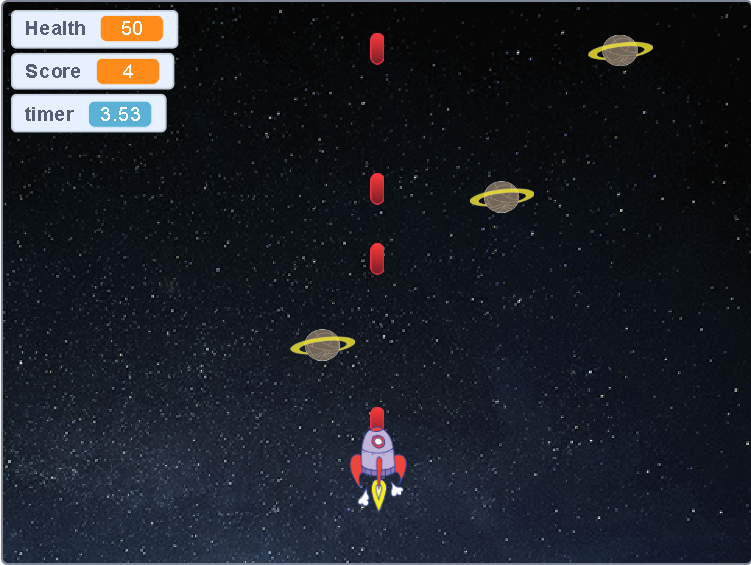
The best proof is what our students actually build. Here are real games created by Junior Coderz kids across different platforms — from their very first Scratch project to more advanced worlds. Tap any image to see it up close.
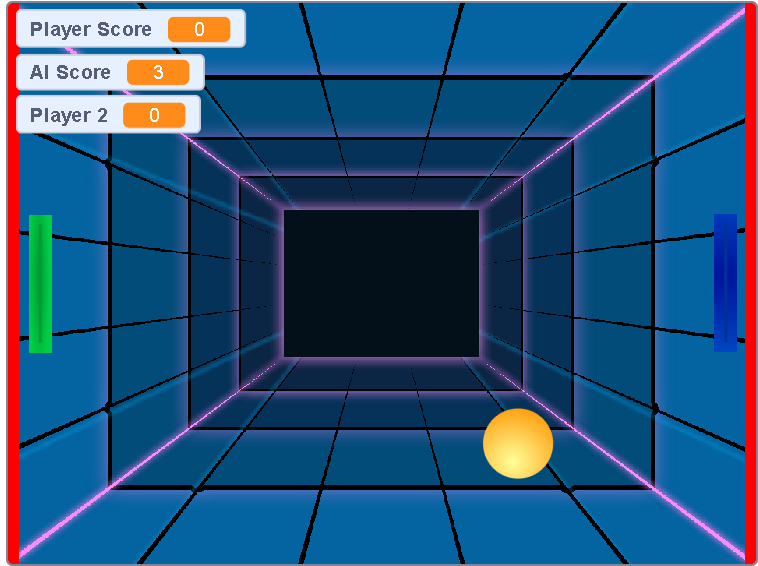
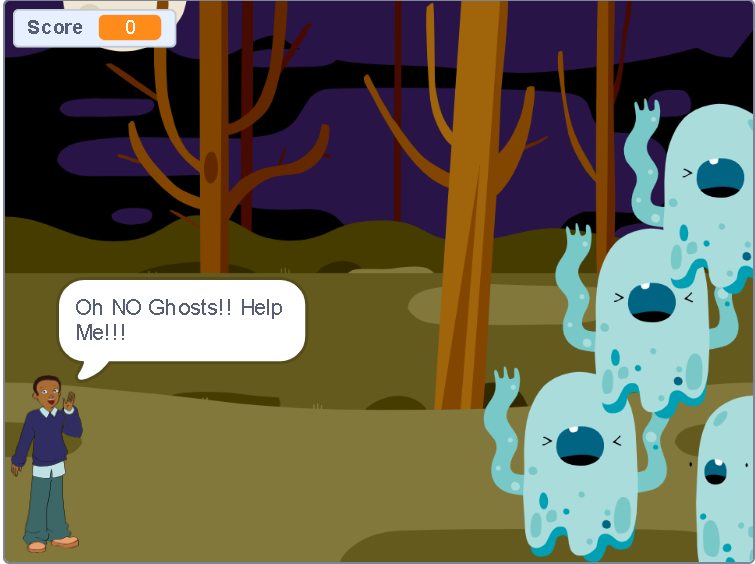
Our younger students often start here, building colourful 2D games like Pong, mazes, and their own creative twists — such as our popular Sprunki game on Scratch.
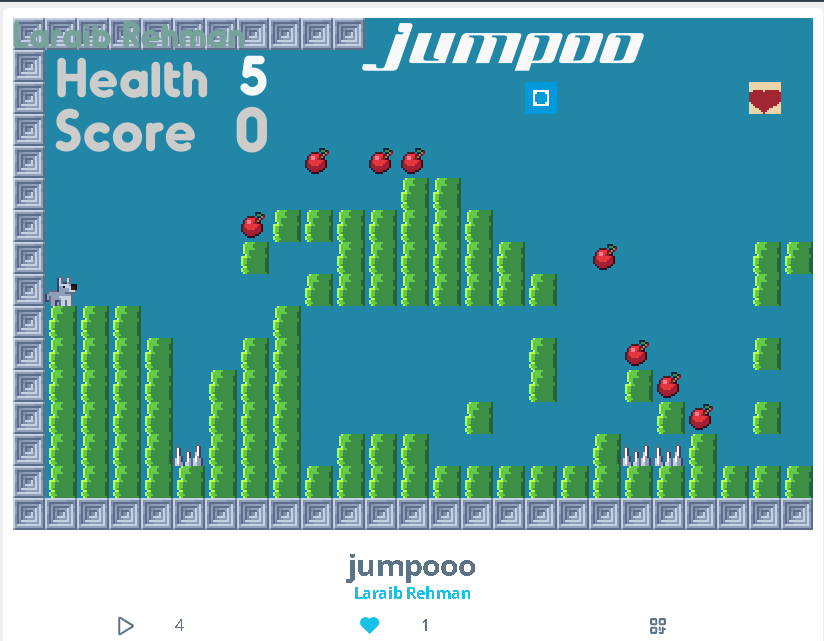
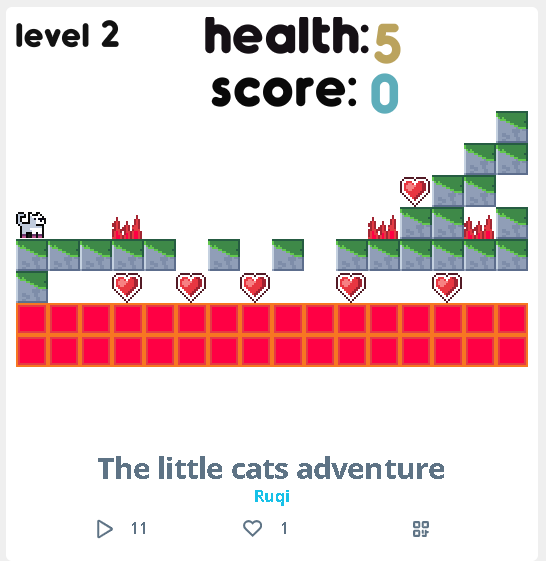
As students grow, they move into Flowlab to build and publish more polished 2D games they can share with a simple link.
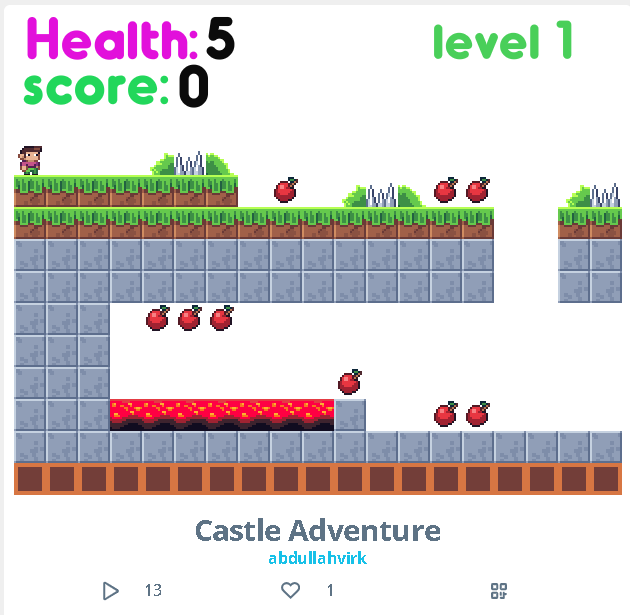
In Gamefroot, students design their own 2D worlds and characters, combining creativity with coding logic to make interactive games.
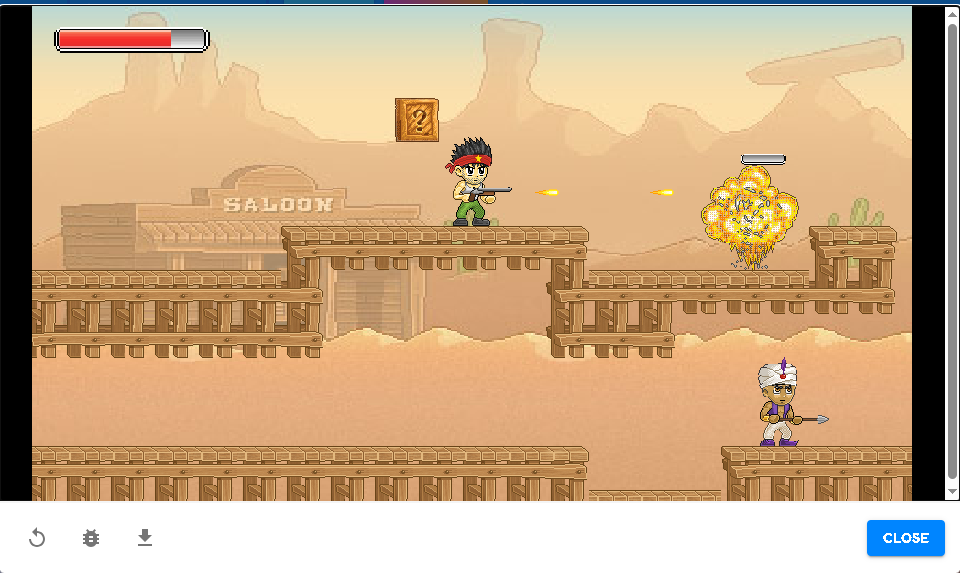
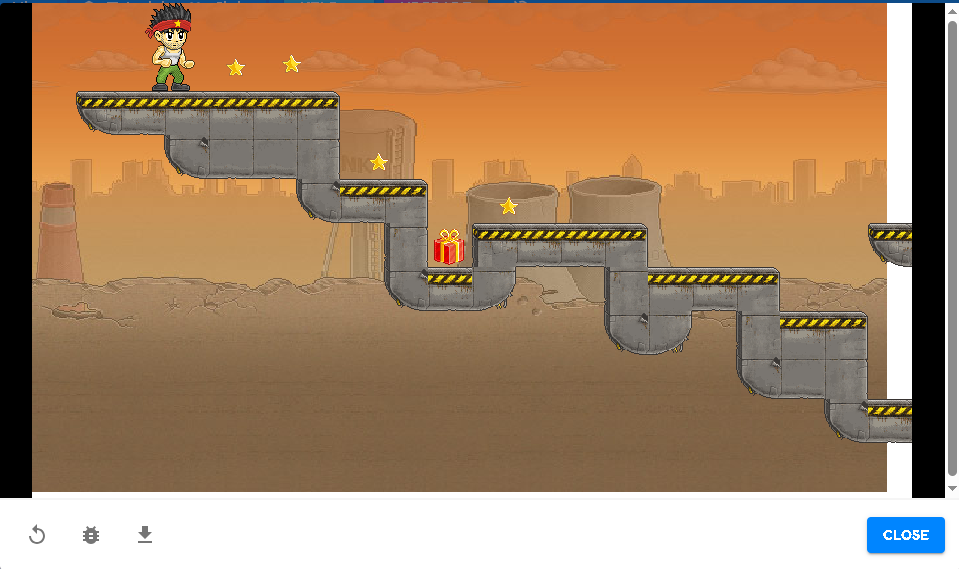
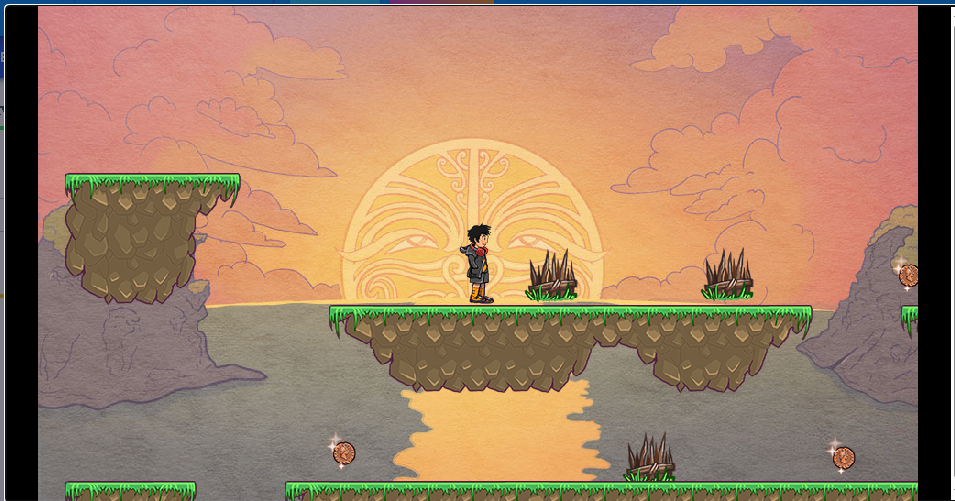
Curious whether it’s the right fit for your child? Book a free trial class and watch them build their first game, or explore all our courses to find the perfect starting point.
Turn Screen Time Into Creativity Today
Your child’s love of games doesn’t have to be something you battle against — it can be the very thing that sparks a lifelong skill. With the right tools and a little guidance, “just playing games” becomes “building games,” and screen time becomes creation time.
The best way to start is to see it happen. Explore how Junior Coderz helps kids turn their passion for games into real coding skills — one fun project at a time.
Looking Ahead
Game development gives children more than coding skills—it builds creativity, logical thinking, problem-solving, and confidence through hands-on projects. Whether they start with Scratch, Roblox, Minecraft, Flowlab, or Unity, every project helps them grow. At Junior Coderz, students learn game development step by step with expert trainers, age-appropriate courses, and real-world projects that turn their ideas into playable games.
Frequently Asked Questions
The easiest way is to begin with a free, beginner-friendly tool like Scratch, where kids build 2D games using drag-and-drop blocks. From there, they can move on to Roblox, Minecraft, or more advanced engines as their skills grow.
Yes! With a kid-friendly tool like Scratch, a 7-year-old can build simple games like Pong or a maze. At that age, the focus is on fun and learning the basics of logic and creativity.
Yes, Python is a great language for making simple games and a popular next step after block-based coding. It’s beginner-friendly and widely used, making it a solid choice for kids ready to move beyond drag-and-drop.
Building games is very safe, especially on kid-focused tools like Scratch, Flowlab, and Minecraft Education. For online platforms like Roblox, use parental controls and light supervision, since they include chat and community features.
No. Block-based game engines let kids start building right away while learning coding logic as they go — no prior experience needed.