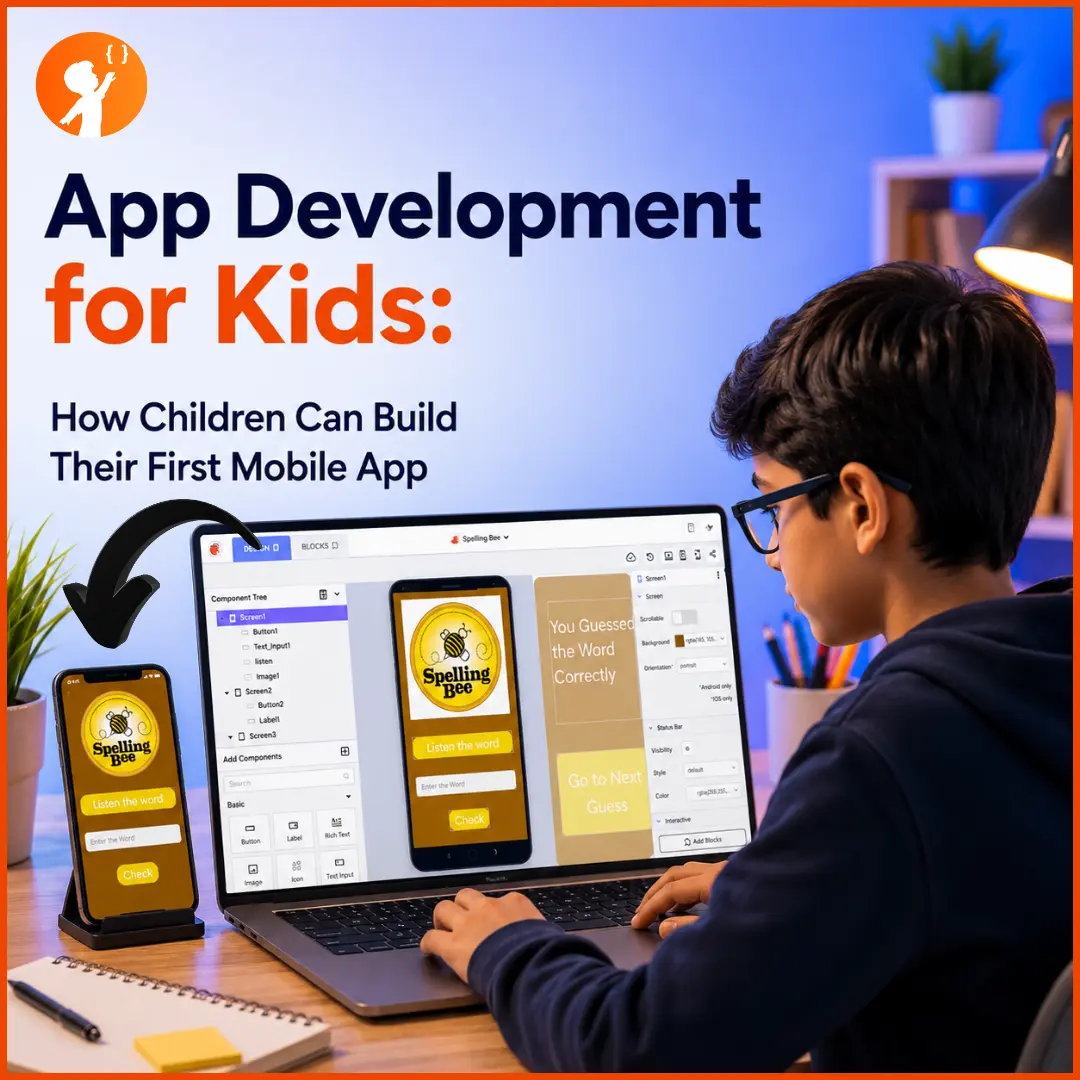
Every kid who’s ever played a game or used an app has wondered, at least once, “Could I make one of these?” The exciting answer in 2026 is: absolutely — and much earlier than most parents think. App development for kids has become one of the most rewarding ways for children to turn screen time into creation time, building real, working apps they can show off and be proud of.
This guide walks you through everything a parent needs to know: what app development actually is, why it’s worth learning, the skills kids need, the best beginner-friendly (and free) tools by age, and how children can even build AI-powered apps. Let’s dive in.
What Is Mobile App Development?
In simple terms, mobile app development is the process of creating applications that run on phones and tablets — the games, tools, and programs we tap on every day. Apps are built for two main systems: Android (phones like Samsung and Google Pixel) and iOS (Apple’s iPhones and iPads).
For grown-ups, building an app can mean writing thousands of lines of code. But for kids, it’s far friendlier. Thanks to beginner tools, children can now design and build real apps using colourful drag-and-drop blocks instead of complicated code — learning how apps work by actually making them.
Why Should Kids Learn App Development?
App development isn’t just a fun hobby — it builds skills that help children in school, life, and future careers. Here’s what your child gains:
| Skill | How App Development Builds It |
|---|---|
| Creativity | Designing apps that look good and solve real problems |
| Logical thinking | Building the “flow” of how an app works, step by step |
| Problem-solving | Finding and fixing bugs when something doesn’t work |
| Communication | Designing an app other people can actually use |
| Confidence | The pride of building — and sharing — a real, working app |
| Future readiness | Early exposure to one of the most in-demand tech skills |
There’s also a bigger payoff: app development combines creativity with logic, so it appeals to all kinds of kids — the artistic ones and the analytical ones alike. And building something real and finished gives children a confidence boost that few other activities can match. It’s also a fantastic way to sharpen the problem-solving skills that help in every subject.
What Skills Do Kids Need Before Building Apps?
Here’s the reassuring part: your child does not need to be a coding expert to start. In fact, they can begin with almost no experience. The helpful foundations are:
- Basic coding logic — understanding simple ideas like “if this, then that” (block-based coding teaches this painlessly).
- Logical thinking — breaking a big idea into small steps.
- Creativity — imagining what to build and how it should look.
- Curiosity and patience — the willingness to try, fail, fix, and try again.
How Kids Build an App: The Basic Steps
Building an app follows a simple, repeatable path that any child can learn:
- Have an idea — a game, a quiz, a helpful tool.
- Design the screens — decide what the app looks like and what buttons it has.
- Add the logic — use blocks or code to make the buttons and features actually work.
- Test it — run the app and see what happens.
- Fix the bugs — find what’s broken and repair it (this is where real learning happens).
- Share it — show family and friends, or even publish it.
Best Free Platforms for Kids to Build Apps (by Age)
You don’t need expensive software to start — many of the best tools are completely free. Here’s the honest, age-by-age breakdown:
| Platform | Best Age | Coding Type | What Kids Build | Cost |
|---|---|---|---|---|
| ScratchJr | 5–7 | Drag-and-drop | Simple interactive stories & animations | Free |
| Scratch | 7–10 | Block-based | Games, animations, interactive projects | Free |
| MIT App Inventor | 10+ | Block-based | Real Android apps | Free |
| Thunkable | 10+ | Block-based | Android & iOS apps | Free tier |
| FlutterFlow / Android Studio | 13+ | Visual + real code | Advanced, publishable apps | Free tier / Free |
Here’s a closer look at each one, so you know exactly what your child can do with it.
ScratchJr
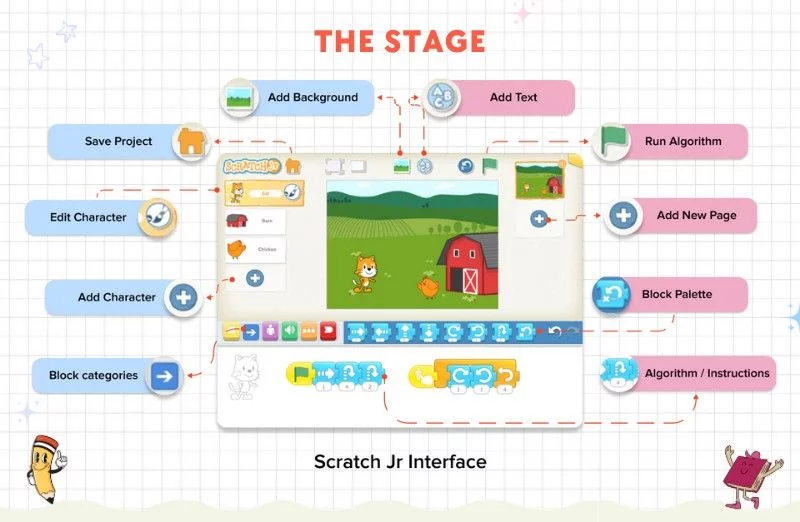
ScratchJr is a free, colourful app designed for the youngest learners, where kids snap together picture blocks to bring characters to life. There’s no reading-heavy code — just tapping and dragging.
What kids can make: simple interactive stories, animations, and their first “make it move when I tap it” projects.
Best age: 5–7.
Scratch
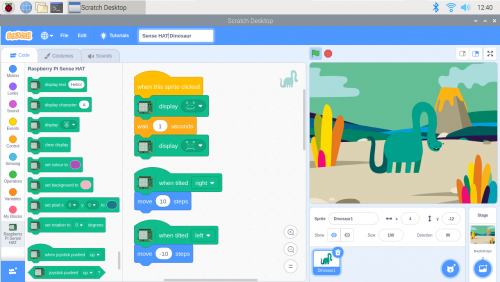
Scratch is the world’s most popular beginner coding platform, made by MIT. Kids build projects by clicking together colourful code blocks, learning real programming logic without the frustration of typing syntax.
What kids can make: games (including classics like Pong), animations, quizzes, and interactive stories.
Best age: 7–10 (and a brilliant foundation before real app tools).
MIT App Inventor
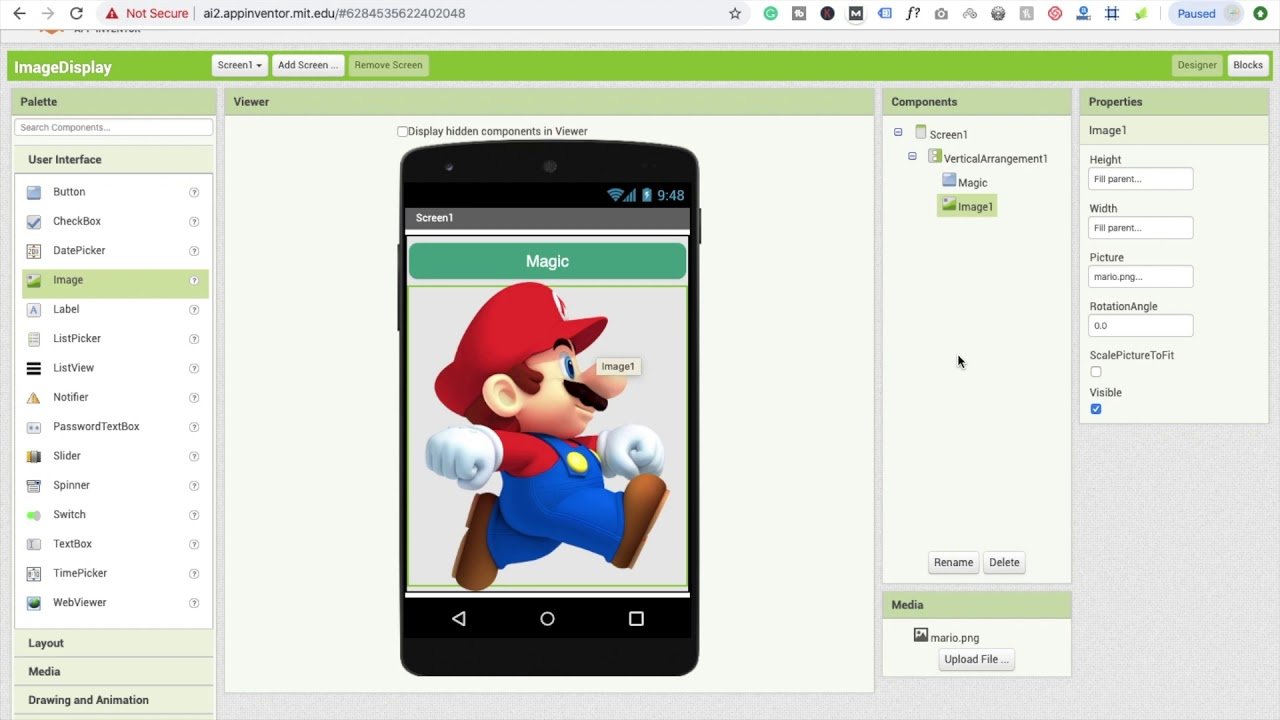
This is where kids start building real apps. MIT App Inventor is a free, block-based tool that lets children create working Android apps they can actually install on a phone — and it even includes AI and image-recognition features.
What kids can make: real Android apps like quiz apps, calculators, games, and simple AI-powered tools.
Best age: 10+.
Thunkable
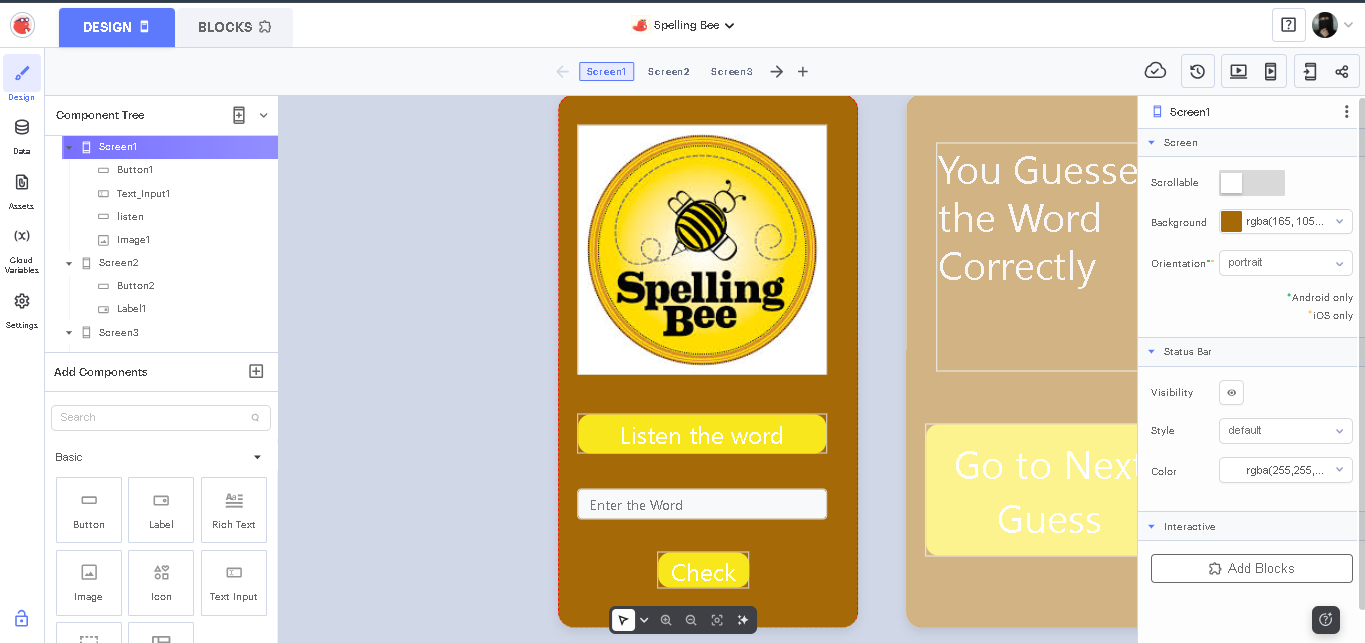
Thunkable is similar to App Inventor but with one big bonus: it builds apps for both Android and iPhone. It uses the same friendly drag-and-drop blocks, so kids who’ve outgrown Scratch feel right at home.
What kids can make: cross-platform apps — translators, to-do tools, games, and apps with AI features.
Best age: 10+.
FlutterFlow & Android Studio
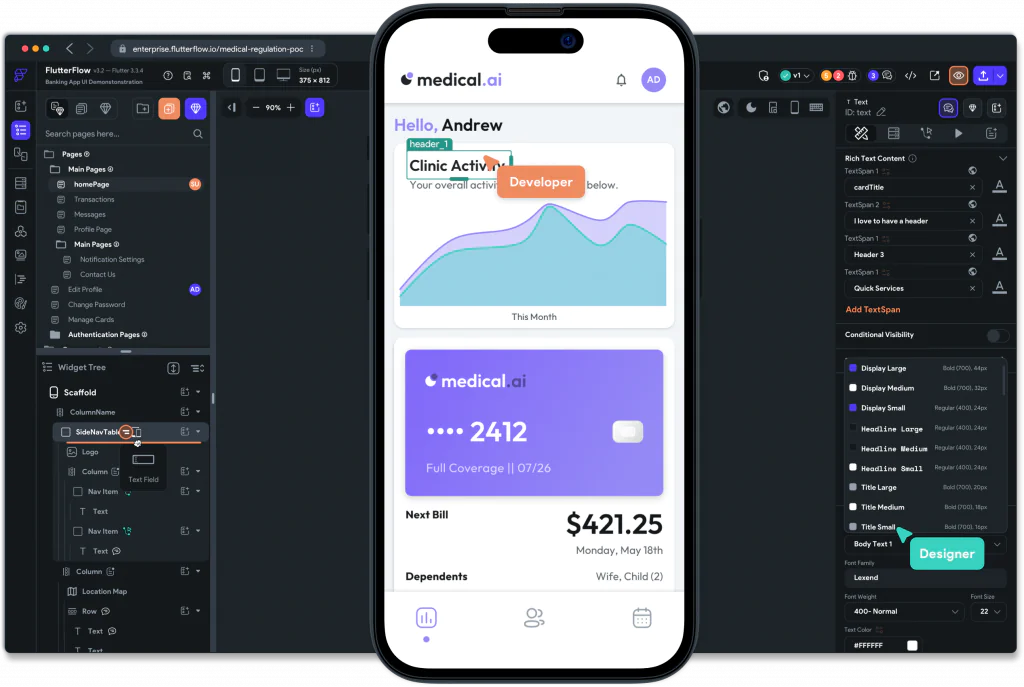
For teens ready to go further, these are professional-style tools that bridge into real-world development. FlutterFlow uses a visual builder, while Android Studio introduces genuine coding — the same tools working developers use.
What kids can make: advanced, polished apps ready to publish to app stores.
Best age: 13+.
A quick, honest note for parents: children aged 5–8 aren’t usually building full mobile apps yet — ScratchJr and Scratch teach the building blocks (logic, sequencing, creativity) that make app development click later. Real app-building starts around age 10 with MIT App Inventor and Thunkable, and teens can graduate to professional tools. It’s a progression, not a leap.
The Kid’s App Development Roadmap
Here’s the natural path most kids follow — a great way to picture the journey:
Can Kids Build AI-Powered Apps?
Yes — and this is where it gets really exciting. As kids grow more confident, the same beginner tools let them add artificial intelligence to their apps. MIT App Inventor and Thunkable both include AI and image-recognition features kids can drag right in. As their skills develop, children can build things like:
- An AI chatbot that answers questions
- A homework helper that explains tricky topics
- A story generator that sparks creative writing
- An image or object recogniser (like a simple plant or animal identifier)
- A quiz generator that creates its own questions
These are more advanced, so they come after the basics — but they show kids that app development and AI go hand in hand. If your child loves this idea, our guide to the best AI projects for kids is full of hands-on inspiration, and they can even learn to build a simple Python AI chatbot. Building AI-powered apps is also a brilliant foundation for AI and coding competitions like the Congressional App Challenge and Technovation.
How Junior Coderz Teaches App Development
At Junior Coderz, app development isn’t a side lesson — it’s a core, hands-on part of our programs, taught by expert engineer trainers in live classes. We follow exactly the progression above: students start by building simple apps, then gradually move toward more complex and even AI-powered applications as their skills grow.
We use the same beginner-friendly, industry-loved tools this guide recommends — MIT App Inventor and Thunkable — so kids learn by building real apps like quiz apps, calculators, unit converters, translators, mind games, and recipe or story apps. App development is built into two of our programs, matched to age:
- Junior Inventors (Ages 8–10) — beginner app creation, where young learners design user-friendly screens and build their first simple, functional apps.
- Code Champions (Ages 11–14) — advanced app development, where older students build more complex apps, learn coding logic, and create tools that solve real-world problems.
Every child is guided by our expert trainers (meet the team), and we support families across the US, Canada, the UAE, and beyond. You can explore the full app development for kids program to see exactly what’s covered.
Build Your Child’s First Mobile App Today
Your child could go from “I wonder if I could make an app” to actually holding one they built — often in just a few weeks. All it takes is the right tools, a little guidance, and the excitement of building something real.
The best way to start is to see it in action. Book a free trial class with Junior Coderz and watch your child build their very first app, or explore all our courses to find the perfect starting point.
Looking Ahead
App development is quickly becoming one of the most valuable digital skills a child can have — and when you combine it with AI, the possibilities open up even further. The kids learning to build apps today aren’t just playing with technology; they’re learning to create it. And that’s a head start that lasts a lifetime. At Junior Coderz, we help kids go from curious beginners to confident app creators, one real project at a time.
Frequently Asked Questions
For beginners, MIT App Inventor and Thunkable are the best — both are free, use drag-and-drop blocks, and let kids build real apps. Younger children can start with ScratchJr or Scratch first.
Yes. Block-based tools like MIT App Inventor and Thunkable let kids build real apps by dragging and connecting blocks instead of writing traditional code — perfect for beginners.
Yes, MIT App Inventor is completely free to use. It’s a popular, beginner-friendly platform for building real Android apps.
Thunkable is a beginner-friendly, block-based platform for building both Android and iOS apps. It’s great for kids ready to make apps that work across different devices.
Children can start building the foundations (logic and creativity) from ages 5–7 with ScratchJr and Scratch, and begin building real apps with tools like MIT App Inventor from around age 10.