
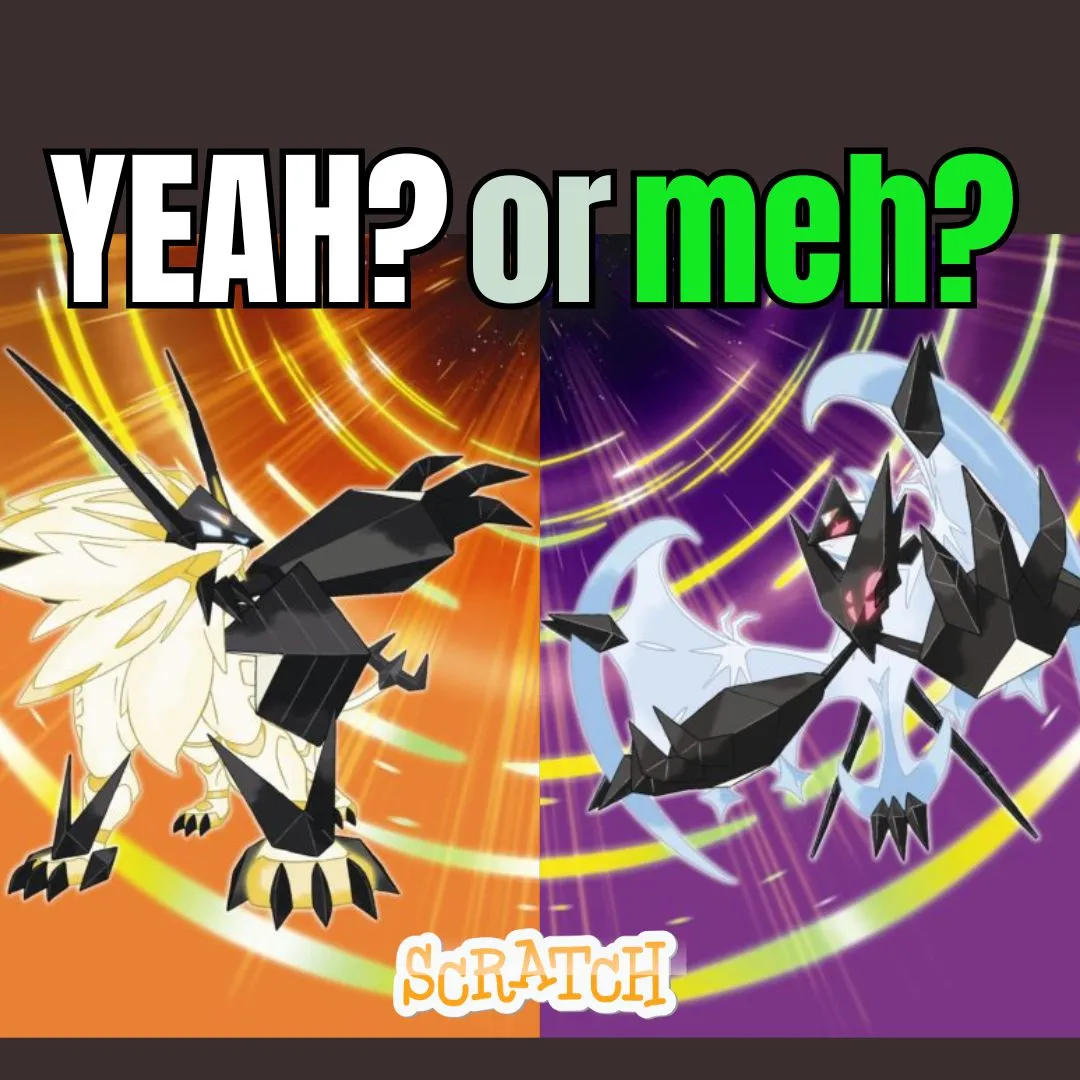

What if your child could build their own version of the games they already love? The turn-based combat, the creature evolution trees, the thrilling type matchups that fans of games like pokemon game ultra sun obsess over, all of it is recreatable in Scratch with the right guidance. In this tutorial, we walk through building a full Pokemon-style creature battler in Scratch, complete with turn-based combat, elemental types, and a satisfying evolution system. Every mechanic teaches real programming skills: variables power the health bars, conditionals drive the type matchup calculator, and loops handle the battle animation cycles. This is one of the most exciting fun coding projects a young programmer can tackle. Whether you are a parent seeking creative screen time, an educator hunting for project-based lessons, or a kid who wants to build something epic, this guide walks through every step.
📑 Table of Contents
- The Story Behind the Game
- Why Build a Creature Battler Like This in Scratch?
- Planning Your Creature Battler: The Blueprint
- Coding Turn-Based Combat in Your Creature Battler
- Building the Type Matchup System
- Adding Evolution Logic to Your Creature Battler
- Visual Polish and Battle Animations
- Cool Extensions to Try Next
- What Kids Learn From This Project
- Book a Free Trial Class
- Conclusion
- FAQs
⚡ The Story: The Isle of Codeveil
Deep in the digital ocean sits a hidden island called Codeveil. Strange creatures roam its shores and forests, each one made of glowing code rather than flesh and bone. A young explorer named Nova discovered Codeveil while debugging a school project and accidentally fell through a portal in her laptop screen.
On Codeveil, every creature has an elemental type: Spark for electric, Bloom for nature, Cinder for fire, and Tide for water. Nova quickly learned that winning battles required understanding which types countered which. Moreover, every creature could evolve at Level 5 and again at Level 10, unlocking new abilities and stronger stats. Nova’s mission is to battle all eight Codeveil champions and find the portal home. Your player writes the code that powers every battle.
Why Build a Creature Battler Inspired by Pokemon Game Ultra Sun in Scratch?
Fans of pokemon game ultra sun already understand the depth hiding beneath that cheerful surface. Specifically, the type advantage system is essentially a truth table made of conditional logic. Every HP bar is a variable rendered visually on screen. Meanwhile, the evolution trigger is a threshold check on a level counter. Consequently, building a creature battler in Scratch does not just teach kids to code. It teaches them to think like the engineers who built the games they love.
Furthermore, this project is particularly motivating because every mechanic has an immediate, satisfying result. Kids see their health bar shrink after a hit, watch their creature transform during evolution, and feel the tension of a type-advantage calculation resolving. Additionally, these are the same design patterns that appear in apps, simulations, and data tools across every industry. If your child has already built a Blox Fruits Power System or a Piggy Escape Game, this project is the perfect next challenge.
Planning Your Pokemon Game Ultra Sun Style Battler: The Blueprint
Before opening Scratch, sketch the full system. A great creature battler needs a roster of creatures with stats, a turn-based combat engine, a type chart, an evolution system, and a win/loss condition. Planning these pieces in advance prevents confusion and makes the actual coding much smoother. The approach mirrors how professional developers design game systems before writing a single line.
| System Component | Details |
|---|---|
| Creature Stats | HP, Attack, Defense, Speed, Type, Level |
| Combat Engine | Turn order, damage formula, status effects |
| Type Chart | 4 types with 2x, 0.5x, and 1x matchups |
| Evolution System | Level thresholds triggering costume and stat changes |
| Battle UI | HP bars, move menu, action log text |
| Win Condition | Opponent HP reaches 0 |
This planning stage teaches computational thinking. Specifically, breaking a large creative idea into separate, buildable systems is the same skill professional engineers use. For more on how this mindset grows in young learners, read our post on engineering mindset lessons for kids.
Coding Turn-Based Combat: The Heart of Every Pokemon Game Ultra Sun Experience
Turn-based combat is elegant in its simplicity. On each turn, one creature attacks and the other defends. The attacker’s damage is calculated, the defender’s HP decreases, and the roles swap. In Scratch, this maps cleanly to variables, arithmetic blocks, and a state machine controlled by broadcasts. Specifically, a variable called “whoseTurn” switches between 1 (player) and 2 (opponent) after each action resolves.
when I receive [playerAttacks v]
set [rawDamage v] to ((playerAttack) – (opponentDefense))
if <(rawDamage) < (1)> then
set [rawDamage v] to (1)
end
set [typeMod v] to (1)
if <(typeMatchup) = [advantage]> then
set [typeMod v] to (2)
end
if <(typeMatchup) = [disadvantage]> then
set [typeMod v] to (0.5)
end
set [finalDamage v] to ((rawDamage) * (typeMod))
change [opponentHP v] by ((-1) * (finalDamage))
broadcast [updateHPBars v]
if <(opponentHP) < (1)> then
broadcast [playerWins v]
end
The minimum damage floor of 1 ensures that battles never stall completely. Meanwhile, the type modifier multiplies or halves the output based on the current matchup. Consequently, a Spark creature hitting a Tide creature for 12 raw damage actually deals 24, while hitting a Bloom creature deals only 6. This formula is the same mathematical backbone found in the original games. Kids who build this from scratch understand every number behind every battle in pokemon game ultra sun at a fundamentally deeper level.
Building the Type Matchup System
The type chart is where strategy enters the game. Without it, battles are just arithmetic. With it, players must think ahead about which creature to use and which move to choose. In Scratch, the type matchup is determined by a lookup system. Specifically, a custom block receives the attacker’s type and the defender’s type, then sets the “typeMatchup” variable to “advantage,” “disadvantage,” or “neutral.”
| Attacker Type ⚡ | Defender Type | Result | Multiplier |
|---|---|---|---|
| Spark | Tide | Advantage | 2x |
| Spark | Bloom | Disadvantage | 0.5x |
| Cinder | Bloom | Advantage | 2x |
| Cinder | Tide | Disadvantage | 0.5x |
| Tide | Cinder | Advantage | 2x |
| Bloom | Spark | Advantage | 2x |
define checkTypeMatchup (atkType) (defType)
set [typeMatchup v] to [neutral]
if <<(atkType) = [Spark]> and <(defType) = [Tide]>> then
set [typeMatchup v] to [advantage]
end
if <<(atkType) = [Spark]> and <(defType) = [Bloom]>> then
set [typeMatchup v] to [disadvantage]
end
if <<(atkType) = [Cinder]> and <(defType) = [Bloom]>> then
set [typeMatchup v] to [advantage]
end
if <<(atkType) = [Cinder]> and <(defType) = [Tide]>> then
set [typeMatchup v] to [disadvantage]
end
The custom block structure teaches kids about functions and parameter passing. Moreover, each “if” block is independent, which means adding a new type in the future only requires adding new conditions rather than rewriting the whole system. For more on conditional logic and data structures in Scratch, browse our tutorial on the Adopt Me Pet Trading System, which uses a similar parallel lookup approach.
Adding Evolution Logic Inspired by Pokemon Game Ultra Sun
Evolution is the most satisfying moment in any creature battler. In pokemon game ultra sun, watching a creature transform after reaching a level threshold never gets old. In Scratch, evolution triggers when the creature’s level variable hits a specific value. At that point, the creature sprite switches costume to a new, more powerful design, and its stats receive permanent boosts.
when I receive [gainXP v]
change [playerXP v] by (xpGained)
if <(playerXP) >= (xpToLevel)> then
change [playerLevel v] by (1)
change [playerAttack v] by (2)
change [playerDefense v] by (1)
change [maxHP v] by (5)
set [playerXP v] to (0)
set [xpToLevel v] to ((xpToLevel) * (1.3))
if <(playerLevel) = (5)> then
broadcast [evolveStage1 v]
end
if <(playerLevel) = (10)> then
broadcast [evolveStage2 v]
end
end
The 1.3x multiplier on xpToLevel creates a natural difficulty ramp. Specifically, early levels feel fast while later levels demand more battles. When the evolveStage1 broadcast fires, the creature sprite switches to its second costume and an evolution animation plays. Additionally, a fanfare sound effect and screen flash make the moment feel truly special. This combination of data changes and visual feedback is what transforms a working system into a memorable experience.
✨ Design Tip: Record a short “evolution jingle” using Scratch’s sound recorder and layer it over a 2-second flash animation. The result feels remarkably close to what fans experience in the original games. Your players will love the payoff!
Visual Polish: Making Battles Feel Epic
A technically complete game and a fun game are not always the same thing. Visual polish bridges that gap. Start with the HP bars. Create a colored rectangle sprite for each creature and use “set size to (currentHP/maxHP * 100)%” to make it shrink dynamically as health drops. Change the bar color from green to yellow to red based on the current percentage.
Furthermore, add a hit flash effect by briefly switching the defending creature to a white or red costume when it takes damage. Layer in a shake effect by rapidly nudging the sprite’s x position a few pixels and snapping it back. Additionally, display floating damage numbers as clones that rise upward and fade using the ghost effect. These small touches transform the project from a working demo into something that genuinely feels like a game worth playing. For more on visual feedback techniques in Scratch, explore our Rivals-style Shooter tutorial, which covers hit animations in depth.
Cool Extensions to Try Next
Once the core battler works, extensions open the door to advanced concepts. Each idea below teaches a different programming skill while keeping the project exciting.
| Extension Idea | Concept Learned | Difficulty |
|---|---|---|
| Move Pool (4 moves per creature) | Lists, index selection, UI | Medium |
| Status Effects (burn, sleep, poison) | Flags, timers, conditionals | Medium |
| Creature Roster (choose before battle) | Arrays, selection screens | Hard |
| Wild Encounter System | Randomization, probability | Medium |
| Overworld Map | Coordinate tracking, rooms | Hard |
A status effect system is a particularly elegant extension because it teaches boolean flags and timed conditions. For instance, a “burned” flag reduces attack by 20 percent and deals 5 passive damage each turn until a healer item clears it. Students ready for this kind of layered complexity thrive in the Algorithm Avengers program at Junior Coderz, where teens tackle expert-level challenges in Python, web development, and AI.
What Kids Learn by Building This Creature Battler in Scratch
This project covers an impressive range of foundational programming concepts. Variables manage every stat, level, and XP value. Conditionals power the type chart, evolution triggers, and damage floors. Custom blocks create reusable functions. Lists handle move pools and creature rosters. Broadcasts coordinate the turn sequence, evolution cutscenes, and win events. Moreover, arithmetic operations drive the entire damage and leveling economy. Essentially, these are the same core skills that power every app, game, and digital product kids interact with daily.
Beyond the code, kids develop systems thinking by designing balanced type charts. Creative skills grow through creature design and storytelling. Additionally, mathematical intuition strengthens as they tune damage formulas and XP curves. Above all, they finish with something genuinely impressive: a playable, shareable battler built entirely by their own hands. For a broader view of how coding projects connect to real STEM careers, read our guide on coding in STEM education.
Ready to Help Your Child Build Something Epic?
If this project inspired your child, picture what they could build with expert guidance! At Junior Coderz, kids aged 6 to 18 learn Scratch programming, game development, Python, AI, and more through live online classes. Every session is hands-on, project-based, and led by professional engineers who make coding genuinely exciting.
Whether your child is a complete beginner or already comfortable with Scratch, we have the perfect course. For example, the AI Hybrid Course dives into machine learning and creative automation. Meanwhile, our Scratch workshops turn ambitious ideas like this battler into polished, shareable projects. Book a completely free trial class today! Follow us on Instagram and Facebook for daily coding inspiration and student showcases!
⚡ Book Your Free Trial ClassConclusion: Catch the Coding Bug and Start Building
Building a creature battler in Scratch is one of those rare projects that feels like pure play while quietly teaching an entire semester’s worth of programming concepts. Through variables, conditionals, custom blocks, type logic, and evolution triggers, kids touch every major concept in event-driven programming. Moreover, they understand at a deep level why games like pokemon game ultra sun feel so polished and satisfying to play.
Whether your child continues building in Scratch or eventually moves to Python and AI, the systems thinking and design skills from this project carry forward to every future challenge. So open Scratch, sketch Codeveil’s first creature, and start building. The Isle is waiting. If you want expert guidance at every step, Junior Coderz is here. Connect with us on LinkedIn for new courses, student success stories, and the latest in coding education for kids. Time to battle!
FAQs
Kids aged 10 to 14 enjoy this project most. Younger kids (10 to 11) can build the core combat loop and basic type chart. Older kids (12 to 14) can add the full evolution system, status effects, and a creature selection screen. Some Scratch experience with variables and broadcasts is helpful before starting.
A custom block receives the attacker’s type and the defender’s type as inputs. It then uses a series of conditional checks to set a “typeMatchup” variable to “advantage,” “disadvantage,” or “neutral.” The damage formula then reads this variable and multiplies the raw damage by 2, 0.5, or 1 accordingly. Adding new types only requires adding new conditional blocks to the lookup function.
A basic version with combat, a simple type chart, and one evolution stage takes about 3 to 4 hours. Adding the full visual polish, a move pool system, and multiple evolution stages could take 6 to 10 hours across several sessions. Scratch saves progress automatically, so kids can build one system at a time over a week or two.
Yes! Scratch lets kids publish their projects and share a direct link. Friends can play the battler in any web browser without downloading anything. Battle games tend to generate lots of comments on the Scratch community because players love comparing strategies and suggesting new creature types or moves for the creator to add.
After mastering turn-based combat and type systems, kids can explore real-time action games like a 1v1 Shooter or a full RPG with an overworld map. For text-based coding, Python is the natural next step. Junior Coderz offers the AI Hybrid Course and Algorithm Avengers for learners ready to level up.