
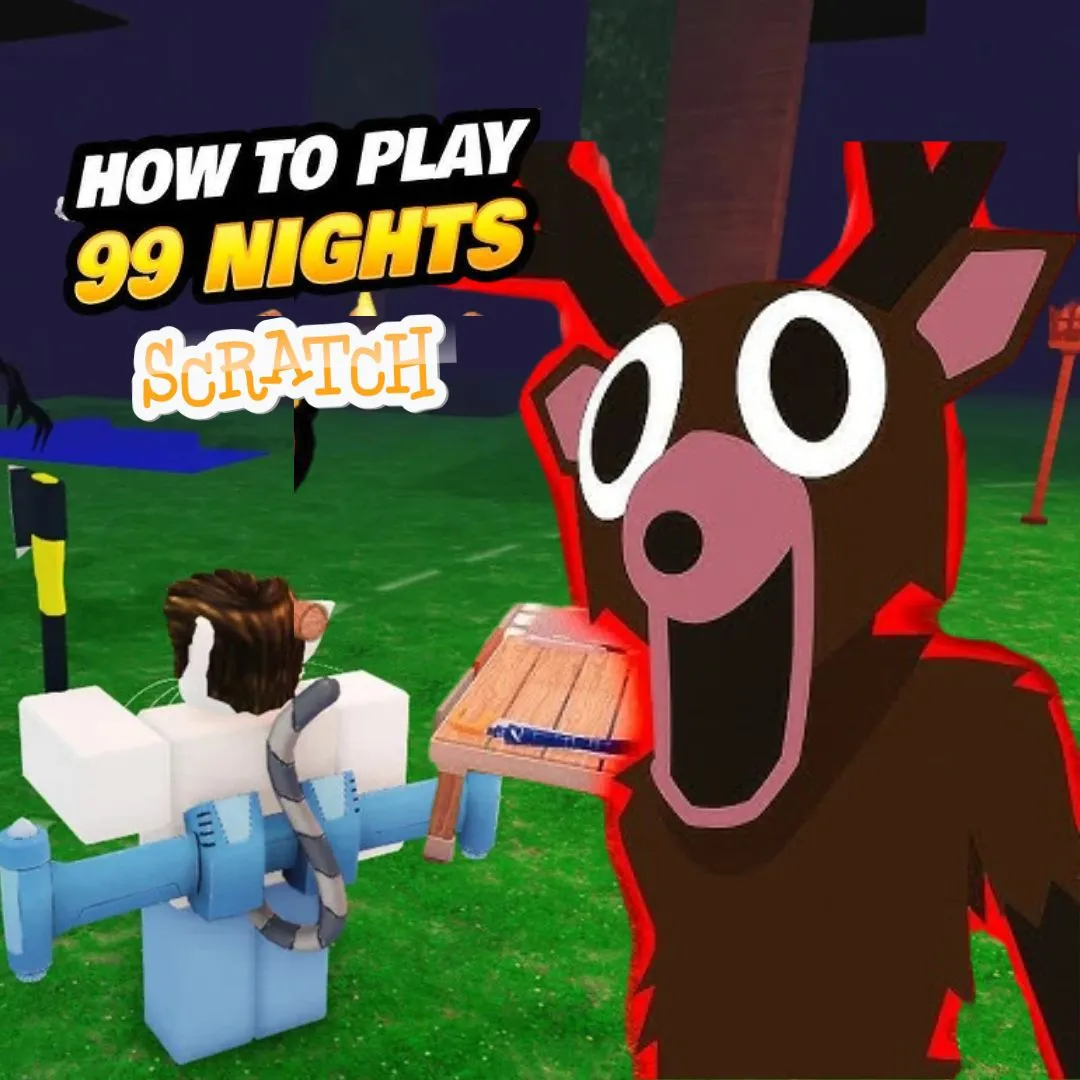

What if your child could build a game where survival depends on wits, timing, and code? In this tutorial, we are building a 99 Nights Survival Game in Scratch. The player must keep their character alive through harsh days and terrifying nights in a mysterious forest. The game features a full day/night cycle, hunger and health resource bars, and enemy spawns that get harder every night. It is inspired by the viral survive 99 nights in the forest ending trend that kids love. Instead of just watching someone else play, your child will code the entire thing from scratch. This project teaches variables, conditionals, loops, and game design. It is one of the most rewarding fun coding projects a young programmer can tackle. Whether you are a parent, educator, or kid, this guide walks you through every step.
🌲 The Story: Lost in Whispering Woods
A young explorer named Ember was on a school camping trip when a sudden storm separated her from the group. She woke up alone in Whispering Woods, a forest that locals say no one has survived for more than a few nights. Strange creatures roam after dark. Food is scarce. The only way home is to survive all 99 nights until rescue arrives.
During the day, Ember gathers berries, collects firewood, and crafts shelters. But when the sun sets, glowing-eyed shadow creatures emerge from the trees. Each night they grow stronger, faster, and smarter. Ember must balance hunger, health, and courage to see the sunrise. Can she make it to night 99 and escape?
Your player writes the ending. Let them code their survival.
Why a Survive 99 Nights in the Forest Ending Game Is Perfect for Young Coders
Survival games are among the most popular genres in gaming. They combine strategy, resource management, and quick thinking into one experience. Building one in Scratch lets kids explore all of these concepts through code. The day/night cycle teaches backdrop switching and timed events. Resource bars like hunger and health introduce variables and conditionals. Enemy spawns use cloning, randomization, and difficulty scaling. Every mechanic maps to a core programming concept.
The survive 99 nights in the forest ending theme adds powerful motivation. Kids are not just coding random features. They are building toward a goal with real narrative stakes. Will their character make it? What happens on night 99? That story-driven tension keeps young coders engaged far longer than abstract exercises. If your child enjoyed building a Time Travel Adventure Game or a Grow a Garden game, this project is the perfect next challenge.
Planning Your Survive 99 Nights in the Forest Ending Game
Every great game starts with a solid plan. Sketch out the core loop before you open Scratch. In a survival game, the core loop repeats every day. During the day phase, the player collects resources. During the night phase, enemies attack. After each night, the game checks if the player survived. If yes, the night counter goes up and enemies get stronger. If health hits zero, game over. If the counter hits 99, the player wins!
| Game Element | Details |
|---|---|
| Day Phase | Bright backdrop, collect berries, gather wood |
| Night Phase | Dark backdrop, enemies spawn, avoid or fight |
| Health Bar | Starts at 100, drops when enemies hit player |
| Hunger Bar | Starts at 100, drops over time, refills with food |
| Night Counter | Tracks progress from Night 1 to Night 99 |
| Enemy Scaling | More enemies spawn each night, move faster |
| Win Condition | Reach Night 99 alive for the forest ending |
This planning phase teaches computational thinking. Kids learn to break a big idea into small, buildable pieces. Professional developers use the exact same approach. For more on how this mindset helps young learners, read our post on engineering mindset lessons for kids.
Building the Day/Night Cycle for Your 99 Nights Survival Game
The day/night cycle is what gives this game its rhythm. Create two backdrops: one bright forest scene for daytime and one dark, moody version for nighttime. You can draw both in Scratch’s costume editor. Use warm greens and blues for the day backdrop. Switch to deep purples, blacks, and glowing yellow eyes peeking through trees for the night version.
when green flag clicked
set [nightCount v] to (0)
set [isNight v] to (0)
forever
switch backdrop to [forest-day v]
set [isNight v] to (0)
broadcast [dayStart v]
wait (15) seconds
switch backdrop to [forest-night v]
set [isNight v] to (1)
change [nightCount v] by (1)
broadcast [nightStart v]
wait (20) seconds
if <(nightCount) = (99)> then
broadcast [youWin v]
stop [all v]
end
end
Day lasts 15 seconds and night lasts 20 seconds. Night is longer to build tension. The “isNight” variable tells other sprites whether to spawn enemies or let the player gather. When nightCount hits 99, the game broadcasts “youWin” and stops. You can adjust these timers for testing. Set them to 3 and 5 seconds while debugging, then increase for the final version. For more on backdrop switching techniques, check our best Scratch games guide.
Coding Hunger and Health Bars: Resource Management in Your Survival Game
Resource bars add real stakes to the gameplay. Without them, surviving is too easy. Create two variables: “health” starting at 100, and “hunger” starting at 100. Health drops when enemies hit the player. Hunger drops steadily over time. If hunger reaches zero, health starts dropping too. This creates a chain reaction that forces players to balance fighting and foraging. Both bars should be visible on screen so players always know their status.
when green flag clicked
set [hunger v] to (100)
set [health v] to (100)
forever
wait (3) seconds
change [hunger v] by (-2)
if <(hunger) < (1)> then
change [health v] by (-3)
end
if <(health) < (1)> then
broadcast [gameOver v]
stop [all v]
end
end
Hunger drops by 2 every 3 seconds. When it hits zero, health drops by 3 every 3 seconds. If health reaches zero, the game ends. To refill hunger, create berry sprites that appear during the day phase. When the player touches a berry, hunger increases by 15 and the berry hides for a few seconds before respawning. This creates a foraging loop that keeps players active during daytime. Kids who enjoy building resource systems should also explore our tutorial on shop systems in Scratch.
🔥 Survival Tip: Add a campfire sprite that the player can build using collected wood! Standing near the campfire at night slows hunger drain and scares away weak enemies. It adds a whole new layer of strategy!
Enemy Spawns That Get Harder: The Core of a 99 Nights Survival Challenge
Enemies are what make nights terrifying. The key design choice is progressive difficulty. Night 1 should feel manageable with slow, rare enemies. By night 50, the screen should be chaotic. By night 90, survival should feel nearly impossible. This escalation keeps players hooked and makes reaching the survive 99 nights in the forest ending feel like a true achievement.
when I receive [nightStart v]
repeat (3 + (nightCount))
create clone of [myself v]
wait (pick random (1) to (3)) seconds
end
when I start as a clone
go to x: (pick random (-220) to (220)) y: (180)
show
repeat until <(isNight) = (0)>
point towards [Player v]
move (1 + ((nightCount) * (0.05))) steps
if <touching [Player v] ?> then
change [health v] by (-5)
play sound [hit v]
go to x: (pick random (-220) to (220)) y: (180)
end
end
delete this clone
The spawn count is “3 + nightCount.” On night 1, four enemies spawn. On night 50, fifty-three appear. Enemy speed is “1 + (nightCount * 0.05).” By night 20, they move at 2 steps per frame. By night 80, they move at 5 steps. This formula creates smooth, satisfying difficulty growth. When day arrives, all clones delete themselves. Kids who enjoy coding enemy behavior should read our guide on creating enemy AI in Scratch.
| Night Number 🌙 | Enemies Spawned | Enemy Speed |
|---|---|---|
| Night 1 | 4 | 1.05 |
| Night 10 | 13 | 1.5 |
| Night 25 | 28 | 2.25 |
| Night 50 | 53 | 3.5 |
| Night 75 | 78 | 4.75 |
| Night 99 | 102 | 5.95 |
Daytime Foraging: Collecting Food and Resources Before Nightfall
Day is the calm before the storm. During this phase, berry sprites and wood sprites appear at random positions. The player moves with arrow keys to collect them. Berries refill hunger by 15 points. Wood adds to a “woodCount” variable used to build campfires. Each resource teaches collision detection and variable management. The day phase broadcast tells resource sprites to show themselves. When night arrives, they hide again.
when I receive [dayStart v]
go to x: (pick random (-200) to (200)) y: (pick random (-120) to (100))
show
when I receive [nightStart v]
hide
when green flag clicked
forever
if <touching [Player v] ?> then
change [hunger v] by (15)
if <(hunger) > (100)> then
set [hunger v] to (100)
end
play sound [chomp v]
hide
wait (4) seconds
go to x: (pick random (-200) to (200)) y: (pick random (-120) to (100))
show
end
end
The hunger cap at 100 prevents over-eating exploits. Berries respawn after 4 seconds at a new random spot. Create three or four berry clones for variety. Add wood sprites using the same pattern but incrementing a “woodCount” variable instead. This foraging loop creates a satisfying rhythm. Players feel productive during the day and anxious as sunset approaches. For more on how Scratch handles interactive game mechanics, check out our step-by-step game building guide.
Adding the Win Screen: Reaching the Survive 99 Nights in the Forest Ending
The ending is what makes the whole journey worthwhile. When nightCount reaches 99, the “youWin” broadcast fires. Create a special backdrop for this moment. Draw a beautiful sunrise scene with Ember standing at the forest edge. A rescue helicopter appears in the distance. Text reads “You Survived 99 Nights!” Add triumphant music and maybe some confetti clone effects.
The survive 99 nights in the forest ending should feel epic. Kids worked hard to reach this point. Make the reward match the effort. You can also add a score display showing total berries collected, enemies dodged, and nights survived. This summary screen teaches kids about data tracking with variables. For extra polish, add a “Play Again” button that resets all variables and restarts the game. Projects like this teach kids the full game development cycle. To see how that cycle prepares students for more advanced work, explore the AI Hybrid Course at Junior Coderz.
Visual Polish: Making Your Survive 99 Nights in the Forest Ending Game Look Amazing
A great survival game needs atmosphere. Start with color effects. During night, apply a “color” effect to darken all sprites slightly. Add glowing eyes to enemy sprites using bright yellow circles on a dark costume. Create a flickering campfire animation with three costume frames that switch rapidly. Add floating particle clones for fireflies during night scenes.
Sound design matters just as much as visuals. Use calm forest ambiance during the day. Switch to eerie wind and distant howling at night. Add a heartbeat sound when health drops below 20. These details transform a basic game into an immersive experience. Kids who love this kind of creative polish should explore our post on building a Scratch Music Maker. Sound and music programming is a skill that transfers directly to advanced game development.
Cool Extensions to Expand Your 99 Nights Survival Project
Once the core game works, extensions push creativity further. Here are five ideas that each teach new programming concepts.
| Extension Idea | Concept Learned | Difficulty |
|---|---|---|
| Weather System (rain slows player) | Random events, conditionals | Medium |
| Crafting System (combine wood + stone) | Lists, multi-variable checks | Hard |
| Boss Enemy (every 10th night) | Health bars, special patterns | Hard |
| Day/Night Length Variation | Mathematical formulas | Medium |
| Multiple Endings | Branching conditionals, flags | Medium |
Multiple endings are especially exciting. Maybe if the player collects 500 total berries, they get a “Nature Friend” ending. If they defeat 200 enemies, they earn a “Warrior” ending. If they build 50 campfires, they unlock a “Fire Master” ending. This teaches branching logic and gives the game massive replay value. Students ready for this complexity thrive in the Algorithm Avengers program at Junior Coderz.
What Kids Learn by Coding a 99 Nights Survival Game
This project is packed with real computer science learning. Variables track health, hunger, wood, night count, and score. Conditionals check resource levels and trigger game over or win states. Loops drive the day/night cycle, hunger drain, and enemy movement. Broadcasts coordinate events between sprites. Cloning creates dynamic enemies and particle effects. These are foundational skills in Scratch coding that transfer directly to Python and JavaScript.
Beyond code, kids develop game design instincts. They learn pacing by tuning day and night lengths. They discover balance by adjusting enemy speed and resource spawn rates. Creative writing emerges from the story they build around their game. Project management grows as they plan, build, test, and polish each feature. These skills prepare students for advanced programs and real-world problem solving. To learn how coding fits into STEM education, explore our detailed guide.
Ready to Help Your Child Build Epic Games?
If this 99 Nights Survival project sparked your child’s imagination, picture what they could create with expert guidance! At Junior Coderz, kids aged 6 to 18 learn Scratch programming, game development, Python, AI, and more through live online classes. Every session is project-based and led by professional engineers who make coding fun and unforgettable.
Whether your child is a total beginner or already building projects, we have the perfect track. Our AI Hybrid Course explores machine learning and automation. Our Scratch workshops turn wild ideas into playable games. Book a free trial class today and see the magic firsthand! Follow us on Instagram and Facebook for daily inspiration and student showcases!
🔥 Book Your Free Trial ClassConclusion: 99 Nights, One Incredible Coding Journey
Building a 99 Nights Survival Game in Scratch is one of the most ambitious and rewarding projects a young coder can take on. Through this single game, kids master variables, conditionals, loops, cloning, broadcasts, and difficulty scaling. They write a story, design characters, balance gameplay, and polish their creation with sound and visual effects. Most importantly, they build something they are genuinely proud of.
The forest ending is not just a game mechanic. It is a metaphor for persistence. Every night survived is a bug squashed, a feature added, a lesson learned. Whether your child keeps building in Scratch or moves to Python and AI, the skills from this project last a lifetime. Open Scratch, draw that forest, and start coding. Night 1 is waiting. And if you want expert guidance, Junior Coderz is here for every step. Connect on LinkedIn for new courses and student success stories. The forest awaits. Time to survive!
FAQs
Kids aged 10 to 14 will get the most out of this project. Younger kids (10 to 11) can build the day/night cycle and basic resource bars. Older kids (12 to 14) can add enemy scaling, crafting systems, and multiple endings. Some Scratch familiarity is helpful but not required.
The game tracks a “nightCount” variable that increases by 1 each night. When it reaches 99, the game broadcasts a win event. A special backdrop appears showing the rescue scene. The player sees their final score, total berries collected, and a victory message. It is the ultimate reward for persistence!
A basic version with the day/night cycle, health/hunger bars, and simple enemies takes about 3 to 4 hours. Adding the full enemy scaling, foraging system, campfire mechanics, and win screen could take 6 to 10 hours across several sessions. Kids can save progress and build gradually over a week or two.
Yes! Scratch lets kids publish projects and share them with a direct link. Friends and family can play the game in any web browser without downloading anything. The Scratch community also lets other coders remix and build on each other’s work, which is a great way to learn collaboratively.
After mastering a game this complex, kids are ready for advanced Scratch projects like stickman fighting arenas or adventure games. When they outgrow Scratch, Python is the natural next step. Junior Coderz offers programs like the AI Hybrid Course and Algorithm Avengers for teens ready to level up.