
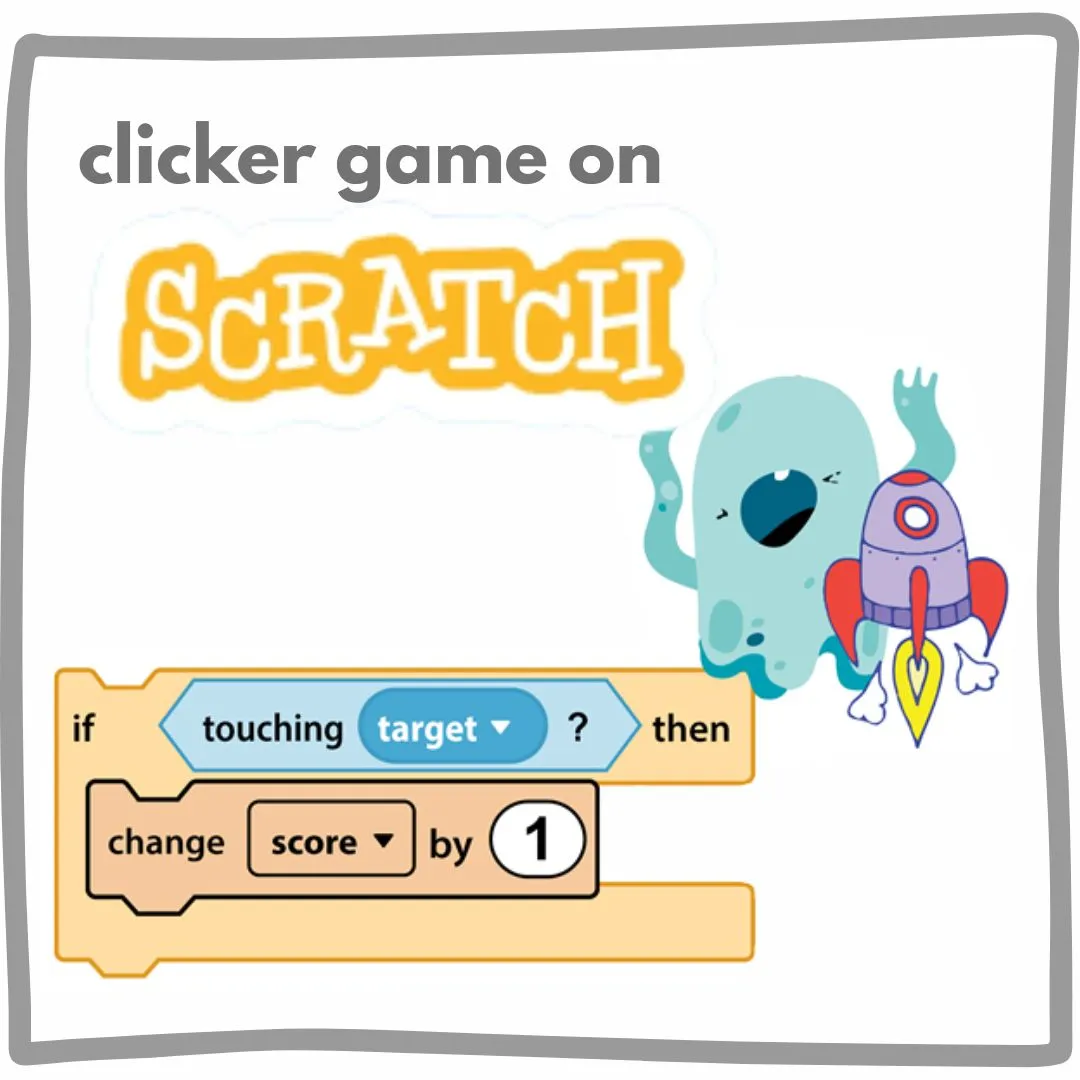
Introduction: Learning Game Logic the Fun Way
Scratch makes coding exciting by turning ideas into interactive games. One of the most important concepts kids learn while building games is variables. Variables help store information like scores, clicks, and levels, making games feel real and rewarding. In this guide, we will break everything down step by step and show young creators how to make a clicker game on scratch using simple logic, visuals, and creativity. This guide is perfect for beginners, parents, and educators who want to understand Scratch programming without confusion.
What Are Variables and How to Make a Clicker Game on Scratch
Variables are containers that store information while a game is running. Think of a variable as a digital box that remembers numbers like points, clicks, or levels. In Scratch, variables are easy to create and control, which makes them perfect for beginner coding games. When kids learn how variables work, they unlock the ability to design fun coding projects that respond to player actions. Variables are used in almost every Scratch game, especially when learning how to make a clicker game on scratch where counting clicks is the core mechanic.
Why Variables Matter in How to Make a Clicker Game on Scratch
Clicker games are simple but powerful learning tools. Each click adds points, and variables keep track of progress. This teaches kids logic, repetition, and cause and effect thinking. Using variables helps children understand how games track data. Every time a button is clicked, the score changes. This process builds problem solving skills and makes Scratch programming more meaningful. Understanding how to make a clicker game on scratch gives kids confidence to explore more advanced ideas later.
Creating Your First Variable in How to Make a Clicker Game on Scratch
Creating a variable in Scratch only takes a few steps.
| Step | Action |
| 1 | Open the Variables category |
| 2 | Click Make a Variable |
| 3 | Name it Score |
| 4 | Choose For all sprites |
| 5 | Click OK |
Once created, the variable appears on the stage and updates live. This is the foundation for learning how to make a clicker game on scratch because every click will change this value.
Using Variables to Track Clicks in How to Make a Clicker Game on Scratch
Now it is time to use the variable in action. Choose a sprite like a button or character. Start by adding the green flag event and setting the score to zero so the game always begins fresh. Next, add a block that increases the score by one every time the sprite is clicked. This simple setup creates instant feedback and helps kids visually see how variables work. Practicing how to make a clicker game on scratch helps learners understand events, variables, and user interaction in a fun way.
Adding Levels with Variables in How to Make a Clicker Game on Scratch
Once scoring works, levels make the game more exciting. Create a new variable called Level and set it to one at the start of the game. Add logic that checks when the score reaches a certain number and then increases the level. Resetting the score after each level teaches structured thinking and progression. Kids learn how games grow in difficulty and reward effort. Learning how to make a clicker game on scratch with levels introduces real game design fundamentals early.
Making Games Fun with Feedback in How to Make a Clicker Game on Scratch
Games feel better when players see and hear progress. Variables allow messages like level up or sounds when milestones are reached. You can show messages when a score target is reached, change backgrounds when the level increases, or play sounds on every click. These small features make games feel professional and exciting. Experimenting with feedback strengthens creativity and storytelling while reinforcing how to make a clicker game on scratch.
Common Mistakes to Avoid in How to Make a Clicker Game on Scratch
Beginners sometimes forget to reset variables or use the wrong blocks. These mistakes are normal and helpful for learning. Common problems include forgetting to set the score to zero at the start, using set instead of change, or missing event blocks. Fixing these issues teaches debugging skills and patience. Mastering how to make a clicker game on scratch becomes easier when kids learn how to test and improve their own projects.
Learn Coding the Fun Way with Junior Coderz
If your child enjoyed learning about variables and game creation, it might be time to take the next step. Junior Coderz offers interactive coding classes, Scratch workshops, and hands-on learning experiences designed especially for kids. Students at Junior Coderz build real Scratch projects, learn coding for kids step by step, improve creativity and logic, and have fun while learning programming. Visit Juniorcoderz to book coding classes and help your child turn ideas into amazing digital creations.
Building Confidence Through Game Creation
Learning Scratch becomes powerful when kids understand how games remember information. Variables turn simple clicks into meaningful progress and teach logic that applies beyond coding. By practicing how to make a clicker game on scratch, young learners gain creativity, confidence, and problem solving skills. Whether your child is just starting or ready to explore more advanced ideas, Junior Coderz is here to guide every step of the learning journey.
FAQs
What is a variable in Scratch?
A variable is a place where Scratch stores information like scores, clicks, or levels while a game is running.
Are clicker games good for beginners?
Yes, clicker games teach core concepts like variables, events, and logic in a simple and engaging way.
Can kids make games without typing code?
Scratch uses drag and drop blocks, making it ideal for young learners with no prior coding experience.
What age is best for learning Scratch?
Kids aged seven and above can start Scratch comfortably with guidance.
Do variables help in other types of games?
Yes, variables are used in quizzes, platformers, simulations, and many other game types.