
Games feel more exciting when characters can gain, lose, and manage energy while playing. One simple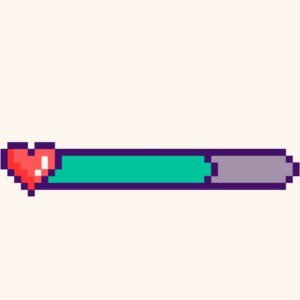 feature that instantly makes a project feel professional is a health bar in game. For kids learning Scratch programming, building this system is both fun and educational. It helps young coders understand variables, conditions, and visual feedback while creating fighting games, adventure stories, or virtual pet projects. In this detailed guide, we will walk through everything step by step so beginners, parents, and educators can follow along with confidence.
What Is a Health Bar in Game and Why Kids Love It
A health bar in game shows how much energy or life a character has. When the character gets hurt, the bar goes down. When they heal or collect rewards, it goes back up. Kids instantly understand this idea because they see it in almost every game they play.
For beginner coding games, this feature teaches children:
- How numbers change during gameplay
- How actions affect outcomes
- How visuals can represent data
It also makes fun coding projects more engaging and interactive.
Understanding Variables for a Health Bar in Game
Before building a health bar in game, kids need to understand variables. In Scratch, a variable is like a container that stores numbers.
Example variable setup
- Create a variable called Health
- Set Health to 100 at the start
- Reduce Health when damage happens
- Increase Health when healing happens
This simple concept introduces logical thinking and prepares kids for more advanced Scratch programming ideas.
Sample Scratch steps
- Click Variables
- Make a new variable called Health
- Add “set Health to 100” under the green flag
- Use “change Health by -10” when hit
This builds a strong foundation for coding for kids.
Designing Visual Styles for a Health Bar in Game
A health bar in game should be easy to understand at a glance. Scratch allows multiple creative styles, which is perfect for young learners.
Popular health bar styles
| Style | Description | Best For |
| Number Display | Shows health as a number | Beginner projects |
| Color Bar Sprite | Shrinks when health drops | Adventure games |
| Costume-Based Bar | Changes costume at levels | Fighting games |
Kids love customizing colors and shapes, which turns learning into a creative experience.
Step-by-Step Sprite Method for a Health Bar in Game
One of the easiest ways to build a health bar is by using a sprite that changes size.
Basic logic
- Health starts at 100
- Sprite width matches health value
- When health decreases, sprite shrinks
Scratch code idea
- When green flag clicked
- Set Health to 100
- Set size to Health
- Forever
- Set size to Health
This teaches kids how visuals can respond to changing values in real time.
Adding Damage Actions to a Health Bar in Game
A health bar in game becomes meaningful when it reacts to events. Damage usually happens when a character touches an enemy or obstacle.
Example damage logic
- If touching enemy
- Change Health by -5
- Play a sound
This introduces conditions and collision detection, which are core Scratch programming skills.
Teaching tip
Encourage kids to test different damage values. This helps them understand balance and game design.
Healing and Power-Ups Using a Health Bar in Game
Games are more fun when players can recover. A health bar can increase when collecting items like hearts, potions, or food.
Healing logic example
- If touching heart sprite
- Change Health by +10
- Delete heart
This is perfect for pet games where characters need care, feeding, and attention.
Important rule
Health should not go above the maximum value. Kids learn limits and conditions by adding a simple check:
- If Health > 100
- Set Health to 100
Using a Health Bar in Game for Different Game Types
A health bar works across many beginner coding games.
Fighting games
- Health drops when hit
- Game ends when health reaches zero
Adventure games
- Health decreases with traps
- Health increases with rewards
Virtual pet games
- Health goes down when pet is hungry
- Health goes up when pet is fed
This flexibility makes it one of the most valuable concepts in coding for kids.
Common Mistakes When Making a Health Bar in Game
Even simple systems can have bugs. Learning to fix them builds confidence.
Common issues
- Health going negative
- Health not resetting at game start
- Bar not matching health value
Easy fixes
- Add conditions to stop values below zero
- Reset variables under the green flag
- Keep bar updates inside a forever loop
Debugging teaches problem-solving in a fun and stress-free way.
Why Learning a Health Bar in Game Builds Strong Coding Skills
Creating a health bar in game is more than just a visual feature. It helps kids learn:
- Logical thinking
- Cause and effect
- Game design basics
- Confidence in building systems
These skills transfer to more advanced Scratch programming and even future coding languages.
Build Your Own Health Bar in Game with Junior Coderz
Ready to help your child turn ideas into real games? Visit Junior Coderz to book coding classes, enroll in Scratch workshops, or start learning coding for kids in a guided environment. Junior Coderz helps young learners build projects step by step, improve their creative thinking, and enjoy programming through hands-on fun.
Start Creating Your Own Health Bar in Game Today
Building a health bar is a fun and powerful way for kids to learn Scratch. It combines logic, creativity, and visual design into one exciting feature. Whether your child loves action games, adventures, or caring for virtual pets, this system adds depth and excitement. Encourage young coders to experiment, improve, and learn through play. For expert guidance, creative projects, and structured learning, Junior Coderz is the perfect place to begin the journey.
FAQs
What age is best to learn health systems in Scratch?
Kids aged 7 and above can easily understand health systems with visual guidance.
Do I need advanced Scratch skills for this?
No. Basic knowledge of variables and sprites is enough to get started.
Can this be used in pet games?
Yes. It works perfectly for feeding, caring, and maintaining pets.
How long does it take to build?
Most beginners can create a basic version in 30 to 45 minutes.
Can parents help at home?
Absolutely. Parents can test games with kids and suggest improvements.