

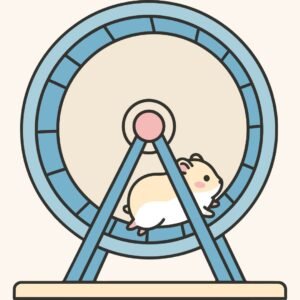
 Creating games in Scratch is one of the best ways for kids to learn coding while having fun, and a racing game with cute characters makes the experience even more exciting. In this project, kids design a fast paced hamster wheel challenge where characters race, earn points, and unlock fun surprises. This type of game is playful, educational, and perfect for young learners who enjoy animals, competition, and creativity. By building a hamster racing scratch project, kids explore game logic, animations, variables, and user interaction in a friendly and engaging way.
This detailed guide is designed for young coders, parents, and educators who want a complete Scratch tutorial that mixes learning with excitement. From planning characters to building race mechanics and adding rewards, every step focuses on building confidence and coding skills.
Why Kids Love the Hamster Racing Scratch Game Concept
The idea behind a hamster racing scratch project is simple but powerful.
Kids love animals, and hamsters running in wheels instantly spark curiosity and laughter. This makes learning feel like play rather than work. When children control movement, speed, and scoring, they naturally understand how cause and effect works in coding.
This type of project also encourages friendly competition. Players can race against time, AI hamsters, or even friends taking turns. Along the way, kids practice logic, timing, and problem solving, which are key skills in beginner coding games.
Planning Your Hamster Racing Scratch Game Before Coding
Before starting any hamster racing scratch project, planning is important. Kids should decide how many hamsters will race, how the wheel will move, and how the winner is decided. Planning helps avoid confusion later and teaches structured thinking.
Key planning questions include deciding if the race is time based or distance based, choosing rewards for winning, and selecting obstacles or power ups. Writing ideas on paper or drawing a simple sketch helps kids visualize the game before opening Scratch.
Creating Hamster Characters for the Hamster Racing Scratch Game
Characters bring the hamster racing scratch idea to life. Kids can draw their own hamster sprites or choose from the Scratch library and customize them. Adding different colors, facial expressions, or accessories makes each racer feel unique.
Simple animation makes the hamsters look like they are actually running. Switching costumes while the sprite moves gives the illusion of motion and makes the race more exciting for players.
Basic Hamster Movement Steps
- Start with the when green flag clicked block
- Use a forever loop to keep movement active
- Increase the x position to move forward
- Change costumes to show running animation
- Stop movement when the finish line is reached
These steps teach kids how motion and animation work together in Scratch programming.
Designing the Wheel and Track in the Hamster Racing Scratch Game
The racing wheel is the heart of the hamster racing scratch project. Kids can draw a large wheel, a straight track, or even multiple lanes for different racers. Backgrounds can include cheering crowds, scoreboards, or fun environments like a pet shop or lab.
Movement of the wheel can be simulated by rotating the background or animating the wheel sprite itself. This teaches kids how visual effects can create motion without complex code.
Adding Speed Control and Power Ups in the Hamster Racing Scratch Game
Speed changes make a hamster racing scratch project more exciting. Kids can add buttons that increase speed or random boosts that give one racer an advantage. Power ups such as carrots, energy drinks, or stars can temporarily make a hamster faster.
Using variables allows kids to control speed values and learn how numbers affect gameplay. This is a great introduction to logic based thinking and math in coding.
Speed Control Table
| Feature | Purpose | Scratch Tool Used |
| Speed Variable | Control movement rate | Variables |
| Boost Item | Temporary speed increase | If touching sprite |
| Slow Zone | Reduce speed | Color sensing |
| Reset Speed | Balance gameplay | Set variable |
Building Scoring and Winning Logic in the Hamster Racing Scratch Game
Every hamster racing scratch project needs a clear way to decide who wins. Kids can use distance traveled, time taken, or points collected as the winning condition. Variables are used to track progress and display scores on the screen.
When a hamster crosses the finish line, the game can stop movement and show a victory message. This helps kids understand conditions, comparisons, and event handling in Scratch.
Adding Obstacles and Challenges to the Hamster Racing Scratch Game
Challenges make the hamster racing scratch project more engaging. Obstacles such as spinning barriers, slippery zones, or random slowdowns force players to react quickly. These elements teach kids how to create interactive environments.
Obstacles can be programmed using simple collision detection. When a hamster touches an obstacle, speed changes or points are reduced. This introduces the idea of consequences in game design.
Obstacle Examples
| Obstacle | Effect |
| Water Splash | Slows movement |
| Bouncing Ball | Pushes hamster back |
| Sticky Patch | Stops movement briefly |
| Surprise Boost | Random speed increase |
Making the Game Fun With Sounds and Visual Effects
Sound and visuals transform a simple project into an exciting experience. In a hamster racing scratch game, kids can add cheering sounds, wheel spinning effects, and victory music. Background music adds energy and keeps players engaged.
Visual effects like glowing trails, confetti at the finish line, or flashing lights when a boost is collected make the game feel rewarding. These features show kids how polish improves game quality.
Testing and Improving Your Hamster Racing Scratch Game
Testing is a crucial step in any hamster racing scratch project. Kids should play the game multiple times to check if speed feels fair, obstacles work correctly, and scores reset properly. This step teaches debugging and patience.
Encouraging kids to ask friends or family to play helps them receive feedback. They can then adjust difficulty, improve visuals, or add new features. This process mirrors real game development workflows.
Encouraging Creativity Through the Hamster Racing Scratch Game
One of the biggest strengths of a hamster racing scratch project is creative freedom. Kids can add new characters, different tracks, weather effects, or even tournament modes. Each change helps them explore new Scratch blocks and ideas.
This open ended creativity builds confidence and motivates kids to keep learning. Instead of following strict rules, they experiment and discover solutions on their own.
Ready to Build More Games With Coding?
If your child enjoyed building this racing game and wants to explore more creative coding projects, JuniorCoderz is here to help. At JuniorCoderz, kids learn Scratch programming through beginner coding games and fun coding projects that build real skills. Our expert instructors guide students step by step, helping them design games, animations, and interactive stories in a supportive environment.
Visit Junior Coderz to book coding classes, join Scratch workshops, and give your child a fun and educational start in coding for kids.
Why the Hamster Racing Scratch Game Is a Great Learning Project
Building a hamster racing scratch game helps kids combine creativity with coding logic in a fun and motivating way. They learn how games work behind the scenes while enjoying playful characters and exciting challenges. From planning to testing, every step builds valuable skills that support future learning. With guidance from JuniorCoderz, kids can turn simple ideas into impressive projects and develop a lasting interest in coding and technology.
FAQs
Is this game suitable for beginners
Yes, this project is designed for beginners and teaches basic movement, variables, and logic in an easy way.
What age group is best for this project
Kids aged 7 to 12 benefit the most, but younger learners can try it with guidance.
Can this game be expanded later
Absolutely. Kids can add more racers, tracks, and challenges as their skills grow.
Does this help with real programming skills
Yes, it builds logic, problem solving, and creativity which are essential programming foundations.
Can teachers use this in classrooms
Yes, it works well as a class project or coding activity for group learning.